Best Buy Guidebook is a culmination of online publishing lessons learned. From SEO to paid ads, our team has experienced the highest of highs and the lowest of lows. Our goal now is simple: Arm readers with the most information possible.


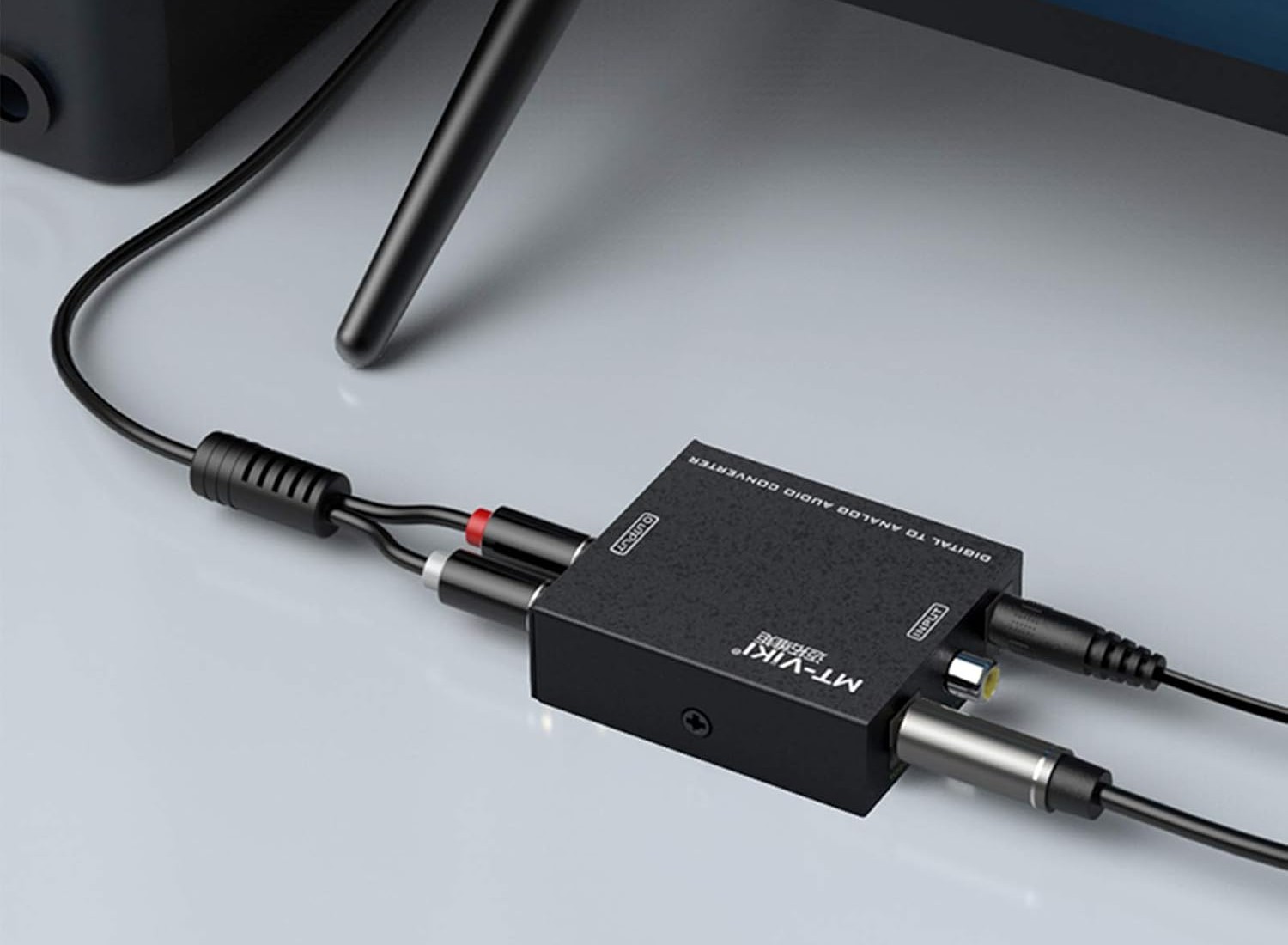
Audio converter products help bridge the gap between various audio formats and devices, ensuring seamless sound quality across different platforms. These devices enhance audio experiences by extracting and converting audio signals, catering to both casual listeners and audiophiles. There are a lot of options out there, but we made a list of the best audio converters based on key features such as battery life, connectivity options, and signal processing capabilities to make it easier for you.
We chose the Orei 8K audio extractor as the top performer. This model excels with its high-resolution audio extraction, robust build, and impressive compatibility, making it the ideal choice for anyone seeking superior audio conversion. Keep reading for our full list of notable products and our comprehensive buying guide.
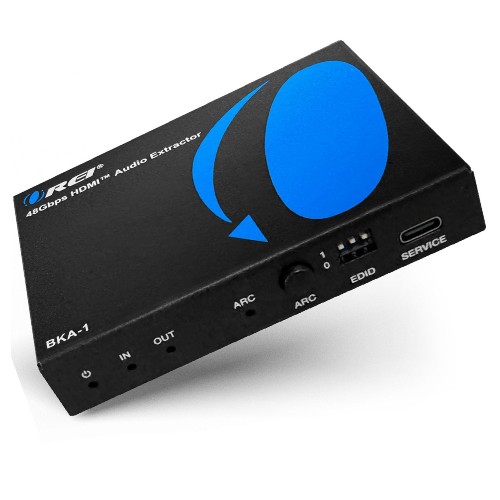
The OREI 8K audio converter instantly captures the interest of gamers and tech enthusiasts who demand high refresh rates. This audio converter handles the demanding requirements of 4K at 120Hz, ensuring that your gaming experience runs smoothly without lag. It also supports cutting-edge audio formats like Dolby Digital and DTS Passthrough, which enriches the sound experience.
The inclusion of features such as CEC, HDR, Dolby Vision, ARC, and HDR10+ further enhances the audio-visual experience, making it a comprehensive solution for your high-definition needs. The SPDIF and 3.5mm outputs provide versatile audio options, ensuring you can connect different types of speakers or headphones. For anyone seeking a reliable and versatile audio converter that supports high refresh rates and compatibility with a myriad of devices, this is the best overall choice.
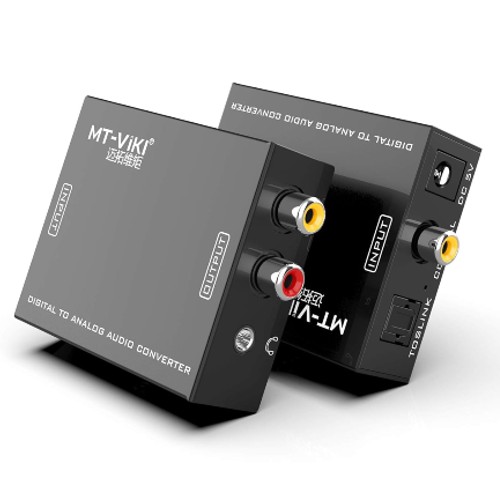
The MT-Viki audio adapter converts digital signals to analog, making it practical for users with older audio equipment. By integrating seamlessly with your current setup, this converter allows you to enjoy high-quality audio from various digital sources. The inclusion of both stereo L/R and 3.5mm output options ensures compatibility with a wide range of devices, such as headphones and traditional speakers.
The straightforward setup process eliminates the complexity commonly associated with audio converters, so even those with limited technical knowledge can easily get it up and running. If you’re looking to enhance your home audio experience without overspending, this one is a great pick.
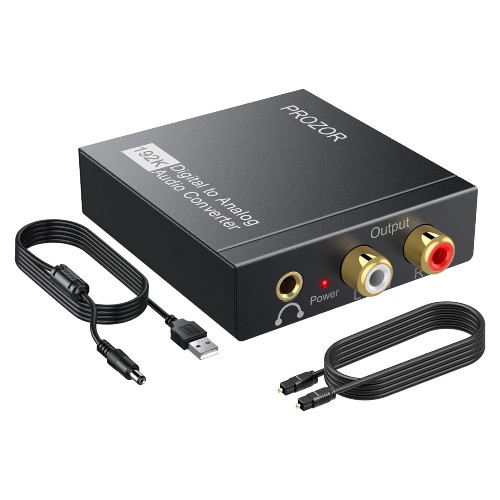
The Prozor 192KHz audio converter excels at connecting older audio equipment to modern devices, making it a go-to solution for anyone looking to bridge the technological gap. With support for SPDIF Optical and Toslink inputs, this converter flawlessly delivers audio detail that significantly enhances your listening experience.
Whether you’re plugging into a PS3, HD DVD, PS4, Amp, or Apple TV, this audio converter ensures each note and sound effect comes through with remarkable clarity. It’s reliable and easy to use. For anyone looking to elevate their audio detail and keep their vintage equipment relevant, this audio converter stands out as an essential purchase.
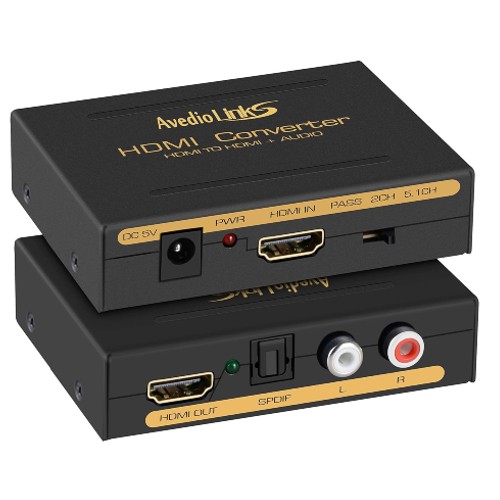
The Avedio audio extractor simplifies your home entertainment setup, making it a top pick for those who value hassle-free installation and operation. Users will appreciate how easily this device extracts audio from HDMI sources, channeling it through Optical Toslink SPDIF or L/R Stereo Analog Audio outputs. This versatility ensures compatibility with a wide range of audio systems, whether you’re using a high-end sound system or more basic speakers.
Setting up this audio adapter takes minimal effort, and the straightforward design means you can start enjoying enhanced audio-visual experiences almost immediately. Its reliability and functionality make it a smart recommendation for anyone looking to upgrade their home theater with minimal fuss.
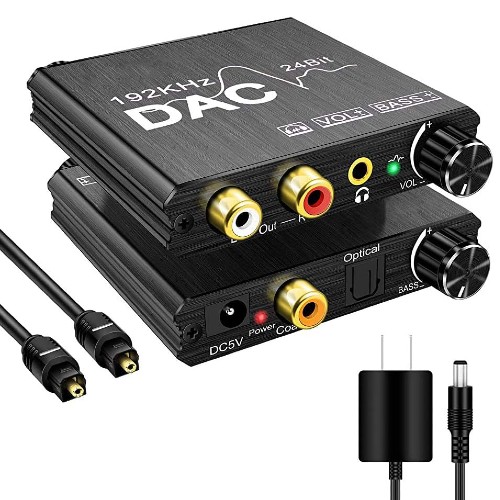
If you’re looking to elevate your home audio experience, the Microware audio converter is an essential addition to your setup. This converter actively transforms digital audio signals from SPDIF/Optical/Toslink/Coaxial sources into rich, analog stereo sound.
It stands out because it not only converts audio but also includes bass and volume adjustment controls, allowing you to tailor the sound to your specific preferences. The 192KHz sampling rate ensures that your audio remains clear and detailed, capturing the nuances of every note. If you’re serious about improving your sound quality, this audio converter is a smart investment.
Choosing the best audio converter can feel overwhelming with so many options available. Whether you’re an audiophile, a music producer, or just someone looking to convert audio files seamlessly, it’s vital to know what features to prioritize. This buying guide will walk you through the most crucial factors to consider, ensuring you get the perfect audio converter for your needs.
When looking for an audio converter, ensure it works seamlessly with your devices and operating systems. Check if the converter supports Mac, Windows, or any mobile platforms you may use. A versatile converter integrates with various file formats, including MP3, WAV, FLAC, and AAC. It’s also crucial that it handles both the input and output formats you require. Confirm that the converter stays up-to-date with the latest software updates to maintain compatibility with emerging technologies.
Conversion quality stands as a critical factor when choosing an audio converter. An effective converter preserves the original audio’s integrity, ensuring minimal loss in sound quality. Look for converters that offer high bitrate options and support for lossless formats. Additionally, some converters come with advanced settings that allow you to tweak the conversion to match your specific needs. Reading user reviews and expert opinions can provide insights into the converter’s performance regarding sound fidelity.
A fast conversion process can save you valuable time, especially if you work with large files or need to convert multiple files frequently. Efficient converters speed up the process without compromising on quality. Check if the converter uses hardware acceleration or multi-threading technology to boost performance. User reviews often mention the speed, providing a real-world gauge of the converter’s efficiency. Fast conversion not only enhances productivity but also ensures you spend less time waiting and more time enjoying your audio.
A user-friendly interface should simplify the conversion process, whether you’re a beginner or a pro. Look for converters that engage users smoothly, making it easy to navigate through options and settings. Drag-and-drop functionality and clear, concise menus streamline the conversion process. Tutorials or onboarding guides can help familiarize you with the tool quickly. A well-designed interface minimizes the learning curve, allowing you to focus on your audio tasks without getting bogged down by complicated settings.
Some audio converters go beyond basic conversion, offering a range of extra features that can enhance your experience. Look for tools that include audio editing capabilities, batch processing, and customizable output settings. Features like ID3 tag editing, normalization, and volume adjustment add significant value. Having integrated features can save you from needing additional software, making your workflow more efficient. These extras can transform a good converter into a comprehensive audio toolkit.
Reading reviews and considering the reputation of the audio converter can be incredibly enlightening. User feedback and expert reviews often highlight the strengths and weaknesses of a product. Pay attention to common issues and praise points mentioned by multiple reviewers. A product with a solid reputation in the audio community likely delivers on its promises. Considering the experiences of others helps you avoid potential pitfalls and guarantees you choose a trusted tool.
Finding the best audio converter involves assessing various factors like compatibility, conversion quality, speed, user interface, additional features, price, customer support, and reviews. Prioritizing these attributes will guide you to a converter that meets your needs and enhances your audio experience.
Depending on the types of input and output connections on your devices, you may need specific cables such as RCA, optical, or HDMI. Always check the converter's specifications to ensure you have the required cables.
While an audio converter can facilitate better compatibility between devices, it does not inherently improve sound quality. Sound quality depends on the source audio and the capabilities of the output device.
Keep your audio converter in a dry, cool place, away from direct sunlight and dust. Regularly clean the ports with a soft, dry cloth and ensure that all connections are secure and free from debris.
Some audio converters, especially those with digital processing capabilities, may offer firmware or software updates. Check the manufacturer's website for any available updates and follow their instructions to install them.
Most audio converters are compatible with a wide range of devices, but it's essential to check the product specifications for compatibility with your specific devices, especially if they have unique input/output requirements.
Yes, analog audio converters transform analog signals into digital signals and vice versa, while digital audio converters (DACs) convert digital audio signals from one format to another. The choice depends on your specific needs and the types of devices you are using.
Best Buy Guidebook is a culmination of online publishing lessons learned. From SEO to paid ads, our team has experienced the highest of highs and the lowest of lows. Our goal now is simple: Arm readers with the most information possible.