Best Buy Guidebook is a culmination of online publishing lessons learned. From SEO to paid ads, our team has experienced the highest of highs and the lowest of lows. Our goal now is simple: Arm readers with the most information possible.


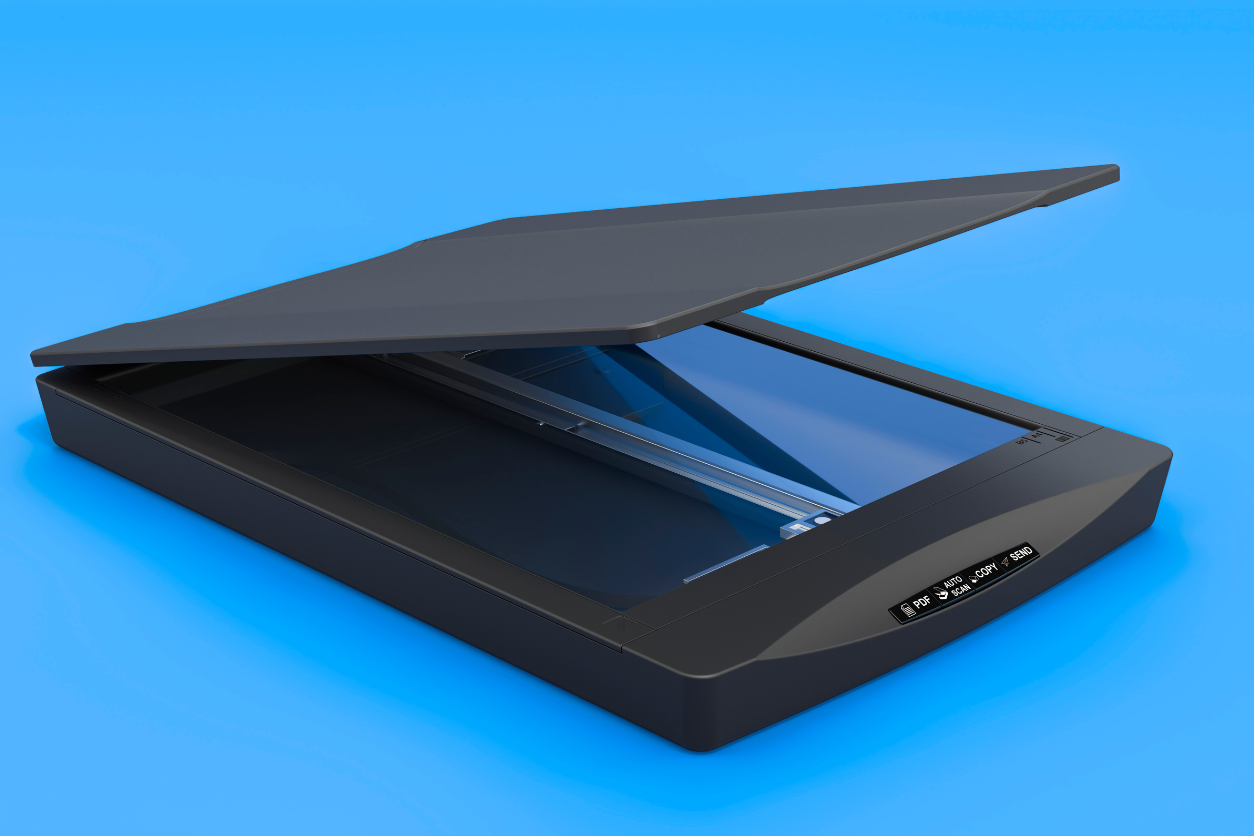
In today’s digital age, sharing information is easier than ever with the ability to upload files via email or messaging platforms. Many businesses now operate almost entirely digitally, minimizing the need for paper documents. However, older documents still exist in physical form, and converting them to digital files one by one can be time-consuming and costly.
That’s where document scanners come in. These devices quickly turn printed or handwritten documents into digital files, making it easy to store and share information. However, not all scanners are created equal—some offer better resolution or extra features. Depending on your needs and budget, you can choose between more affordable handheld scanners or high-end models.
To help you find the right one, we’ve compiled a list of the top-rated document scanners for 2025, each with its own set of advantages. Whether for home or office use, you’re sure to find a scanner that suits your needs.
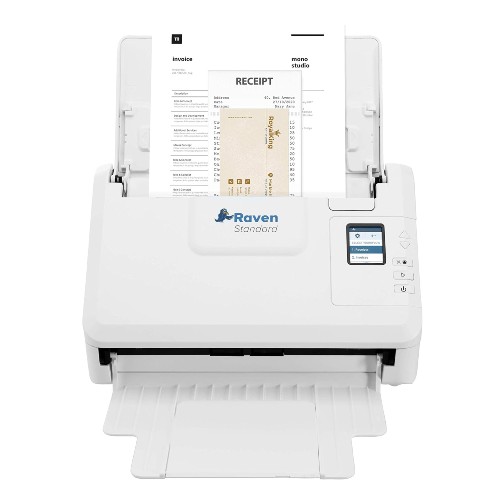
Like smartphones, some scanners are made with plenty of additional features and enhancements that separate them from the rest of the industry. This ADF scanner from Raven is a great example of this, with an LCD screen and other useful bits that make it perfect for the modern office.
Most notably, you can scan documents by connecting the device to your computer or a USB. Of course, you’ll need someone to actually place the documents to scan anything in the first place, but with an adjustable anti-jam 50-page feeder, you can effortlessly scan even complex documents like business cards and receipts
The Raven desktop scanner is compatible with both PC and MAC which makes it a versatile choice. With a one-touch workflow, the Raven Standard scanner is built for personal as well as office use. The LCD screen allows you to view and choose the workflow and save it to your preferred destination with the help of defined buttons.
| Simple 3.0 USB cable connection | |
| Scans up to 40 double-sided pages per minute |
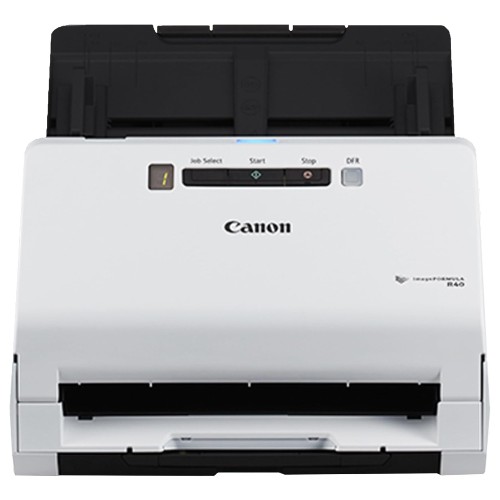
Canon is a brand that’s most commonly known for its cameras, but the brand also makes some pretty well-equipped scanners and printers, too. This probably comes as no surprise since both cameras and scanners deal with capturing images of real-world objects, so Canon already knows their stuff in that regard.
The Canon ImageFORMULA R40 is arguably one of the best scanners that you can get for your home or office, especially for its price. At a little under $270, the scanner is fairly cheaper than other full-sized document scanners, meaning that you can expect similar scanning quality for less. Do note, however, that this isn’t an all-in-one printer, A.K.A. a printer with a built-in scanner.
The main features of the R40 are its speed and size. Despite not being a portable model, the R40 is very compact, and you can place it on most desks without having to clear out too much space, apart from having an area for the paper to come out of the scanner.
Like most modern scanners (and computer hardware for that matter), it’s very easy to install. You don’t need to run software or insert a DVD to install a driver – just plug in the scanner to the computer with the USB cable that comes with the device, and you’re good to go in less than a minute. The device works with both Windows and Mac operating systems, so whether you’re a Windows or Apple fan, you can use the R40 with no problems whatsoever.
And installation isn’t the only thing about the R40 that’s fast. The device can scan 40 pages of a two-sided document in full color every minute – that’s a fully-colored page on both sides turned into a PDF or image file every 1.5 seconds. You’ll be able to turn entire books into soft copies in a matter of minutes with this device.
Despite its impressive performance, it lacks some features that are found in other modern scanners. Most notably, it lacks any sort of wireless connectivity, meaning that you can’t control the device through WiFi or Bluetooth. Of course, since it’s a scanner, you won’t necessarily find it as convenient as having a wireless printer loaded with sheets of paper, but it’s still a function that can come into use every now and then. And if you need more portable options, there are also a few portable scanners down the list, so be sure to check those out too if that’s what you’re looking for.
| Compact form | |
| Compatible with Windows and Mac |
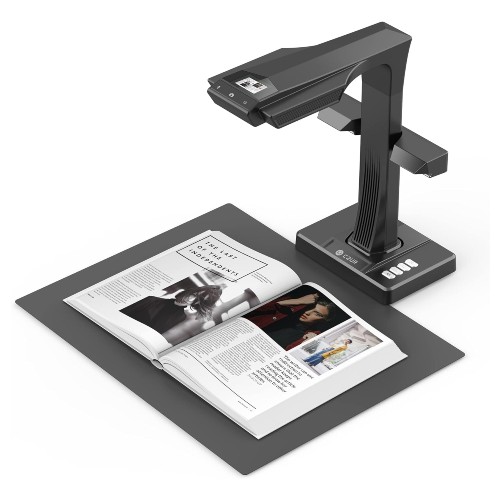
If you’ve ever scanned files before, you’ll know that while flat documents are easy to scan, books aren’t as convenient. Scanners that require you to feed individual pages are impossible to use, and you’ll have to resort to the types of scanners found in photocopiers to get the job done. Unfortunately, this often results in the words and images in the pages becoming warped due to the page’s natural folds in the book. There are scanners, however, that are designed to work around this inherent inconvenience, and the CZUR ET16-P is one of them.
The scanner also gets rid of any additional background colors that may pop up in the image when scanned. For example, when you take a photo of a paper using your phone camera, the page doesn’t appear white in the photo – often, it is darker and dirtier in appearance. The scanner gets rid of these “impurities,” resulting in a soft copy that looks like the original file used to print the book.
The scanner is also pretty fast at scanning, being able to scan a page every 1.5 seconds. Of course, if you’re scanning a book, you’ll have to flip each page manually, as the scanner has no way to do that. Other than the time it takes to flip pages, though, you can expect to scan an entire book within 15 minutes or less. Considering the fact that the scanned pages turn out completely flat and free of background colors, it’s definitely an impressive feat.
| Built-in laser system for measuring contours | |
| Design allows scanning of books |
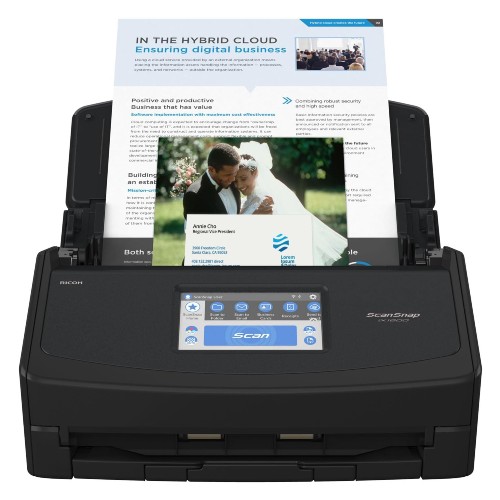
So far, we’ve covered great scanners, but all of them were lacking in one way or another, whether it be a lack of wireless features or inherent scanning inefficiency. The Fujitsu ScanSnap iX1600, however, covers almost all the bases, making it one of the best choices for most people. Combining great scanning quality, intuitive design, and wireless capability, few can match the versatility of the iX1600.
Let’s first talk about the interface. The Fujitsu iX1600 comes with a touchscreen interface, and while a bit smaller than other scanners, it’s still pretty intuitive. The controls are easy to understand that even if you aren’t great with machines, you’ll be able to use the scanner with no problem in no time.
The scanner also comes with wireless connectivity, so you can scan from anywhere you want as long as you have a connection. Scanned documents can also be instantly sent to the cloud for immediate storage. You don’t even need a PC to connect the scanner to, as the files can be saved onto Google Drive, Dropbox, or any other cloud storage platform.
| Customizable profiles | |
| Touchscreen interface |
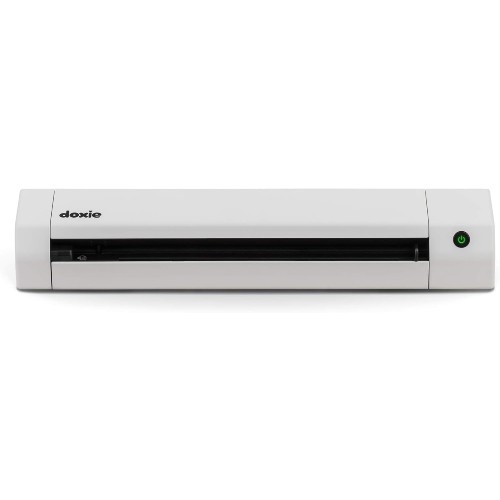
We’ve covered full-size scanners thus far, so let’s talk about portable scanners. Portable scanners are a newer type of document scanner that make use of the smaller and more convenient technologies invented in recent years. As a result, you can take them pretty much anywhere and use them whenever hence the term “portable scanner.”
Now, since many portable scanners take power from their connected PCs, what use do batteries serve in these types of devices? In situations where you don’t have or need a PC, having a battery still allows you to scan documents. And, since the Doxie Go SE allows you to connect directly to your phone, you don’t even need a laptop to scan on the go.
| Portable design | |
| White color |
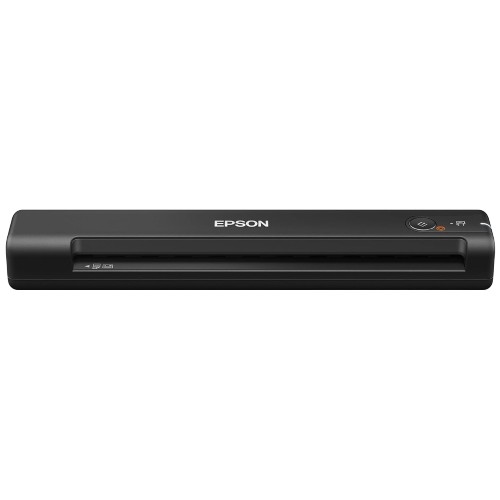
The Epson WorkForce ES-50 is a great addition to the brand’s scanner lineup. Epson’s a familiar name in the printer and scanner business, so you can expect the professional quality that the brand’s products come with. It runs by connecting to a USB port on a computer, so you don’t need to charge the device when using it.
It’s also worth noting that the scanner boasts cloud capabilities and works with both Windows and Mac devices. If you need an on-the-go scanner and have a laptop to plug it into, then you’ll definitely love the Epson ES-50.
| USB connectivity | |
| Fast scans in 5.5 seconds |
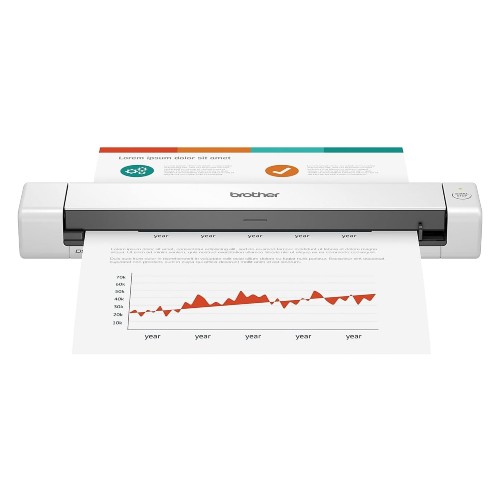
The Brother DS-640 Compact Mobile Document Scanner is no different, either, coming in at just a little under $100. It’s the cheapest scanner on our list, and it’s portable too, so you can use it anywhere you bring it. It scans really quickly at up to 16 pages per minute and runs through a USB 3.0 cable so it’s easy to install, too. While it doesn’t have any wireless capabilities, it can connect to cloud services through the brand’s own desktop app.
| Compact design | |
| Portable |
Document scanners are an essential tool in many businesses, and we’ve got some tips to make it easy for you to pick the best one out there.
Document scanners are scanners that, as the name implies, scan papers, files, and other documents, resulting in an image of the scanned document. It allows users to upload or transfer documents that otherwise would have to be sent or delivered through mail or in person.
Remember these tips when you’re buying your next document scanner.
If you’re in need of a scanner that you can take anywhere, then a portable scanner’s what you’re looking for. Otherwise, you can forgo the portability for full-size scanners that boast better performance and quality.
Some scanners allow users to connect through WiFi, which lets them scan documents and upload them to cloud storage services at the press of a button. However, this feature may not be needed in certain businesses, and you can purchase scanners without this feature to save some money.
The cheapest document scanners are often portable and cost as little as $100, whereas the most expensive of full-size document scanners will cost you $400 or more.
We choose our document scanners based on their features, customer reviews, and brand history.
Portable scanners aren’t as fast at scanning as larger, full-size scanners. This is due to a variety of reasons, most notably design and size.
Some scanners come with WiFi capabilities, allowing a user to scan and upload documents as long as they’re connected to the Internet.
Best Buy Guidebook is a culmination of online publishing lessons learned. From SEO to paid ads, our team has experienced the highest of highs and the lowest of lows. Our goal now is simple: Arm readers with the most information possible.