Best Buy Guidebook is a culmination of online publishing lessons learned. From SEO to paid ads, our team has experienced the highest of highs and the lowest of lows. Our goal now is simple: Arm readers with the most information possible.


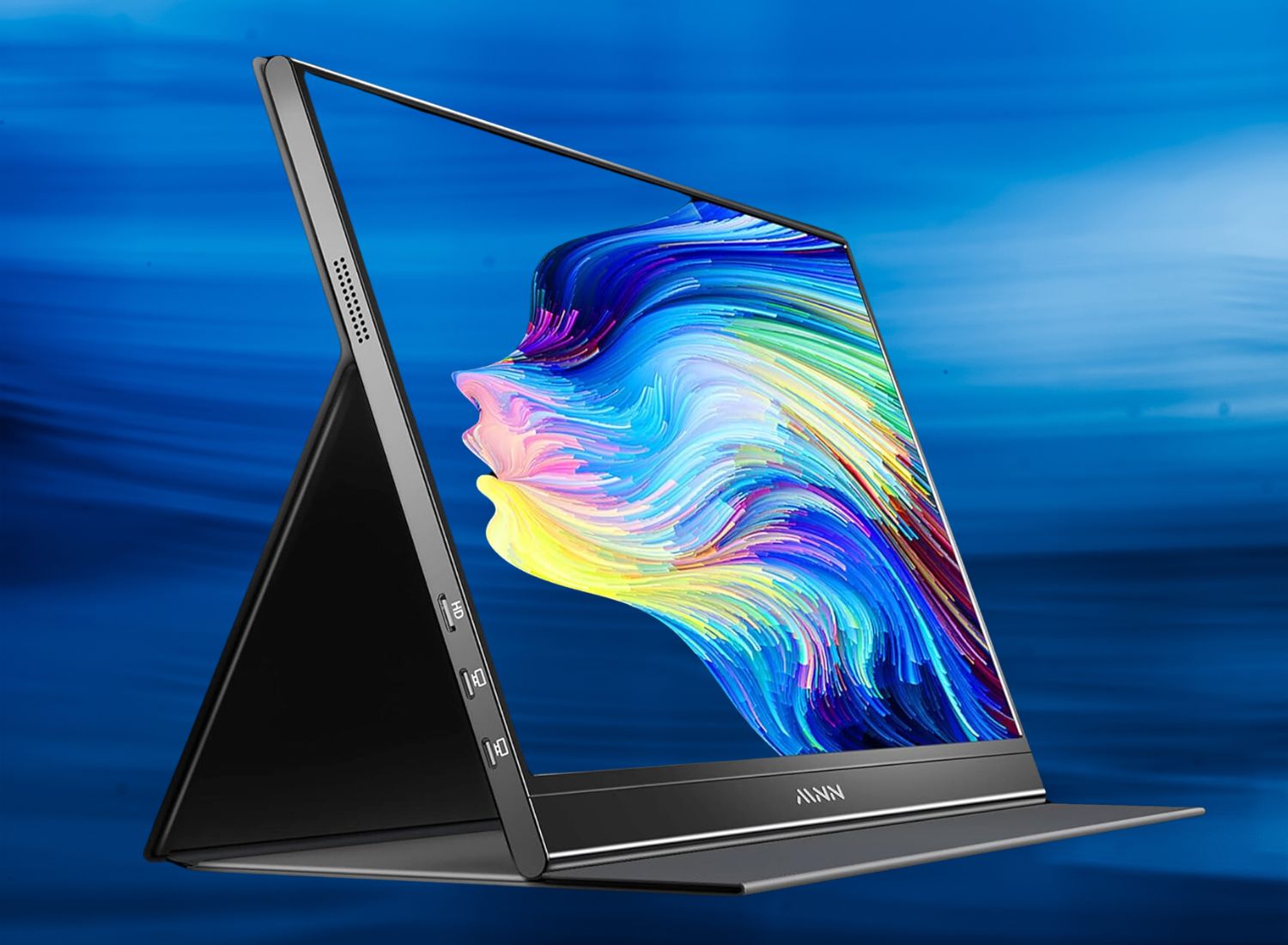
Portable monitors have become indispensable tools for tech enthusiasts, gamers, and professionals, offering compact and portable solutions for multitasking on the go. They pack impressive features into a small footprint. Whether you’re looking to expand your workspace, enhance your gaming setup, or enjoy a portable display for presentations and travel, these monitors offer a versatile solution.
In this review, we’ll dive into the best portable monitors available, exploring their standout features, impeccable performance, and how they can elevate your tech experience. The Wuawe portable monitor emerged as our top choice, excelling with its vivid display, seamless connectivity, and lightweight design.
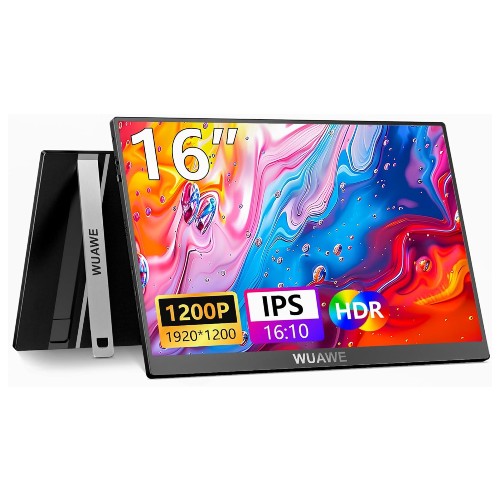
The Wuawe portable monitor proves itself as a versatile travel companion for tech enthusiasts and professionals, making it stand out as our top choice. Its 16-inch display size strikes a good balance between portability and screen real estate, making it ideal for on-the-go productivity or entertainment. The IPS panel ensures vibrant colors and wide viewing angles, enhancing the visual experience whether you’re working on a report or streaming your favorite movies.
With a resolution of 1920x1200P, it offers a slightly taller aspect ratio of 16:10, providing extra vertical space that’s beneficial for document editing and web browsing. This feature-rich mini monitor supports connectivity through USB-C and HDMI, catering to a wide range of devices, from laptops to gaming consoles and even smartphones. What we think makes it particularly appealing is the inclusion of HDR and FreeSync technologies, which elevate its performance by delivering enhanced contrast and smoother visuals. The plug-and-play functionality ensures quick and hassle-free connection, making it user-friendly even for those who are less tech-savvy.
| Screen size: | 16 inches |
| Resolution: | 1920 x 1200P |
| Aspect ratio: | 16:10 |
| Screen surface: | Glossy |
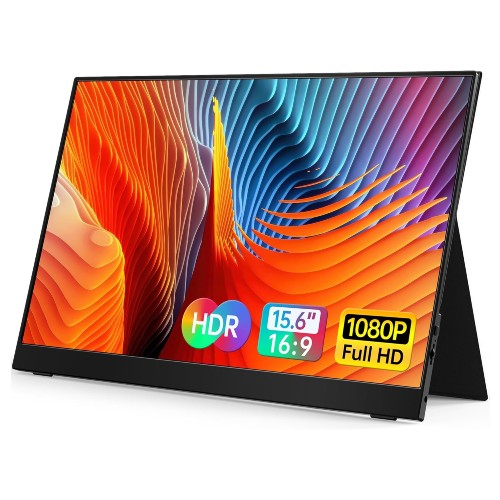
The Vilva mini monitor is a versatile and user-friendly addition to any tech setup, ideal for those who frequently switch between devices or work on the go. Its 15.6-inch 1080P Full HD IPS display delivers crisp and vibrant visuals, enhancing the viewing experience whether you’re working, gaming, or streaming. The integration of USB-C and HDMI options allows seamless connectivity with laptops, PCs, phones, and gaming consoles, making it a handy tool for a wide array of users.
We love that the built-in speakers ensure that you have audio support without needing additional peripherals. The mini monitor’s slim profile makes it easy to carry, making it an excellent choice for professionals who need a second screen while traveling or working remotely. Despite its portable size, it doesn’t compromise on performance or durability.
| Screen size: | 15.6 inches |
| Resolution: | 1920 x 1080P |
| Aspect ratio: | 16:9 |
| Screen surface: | Matte |
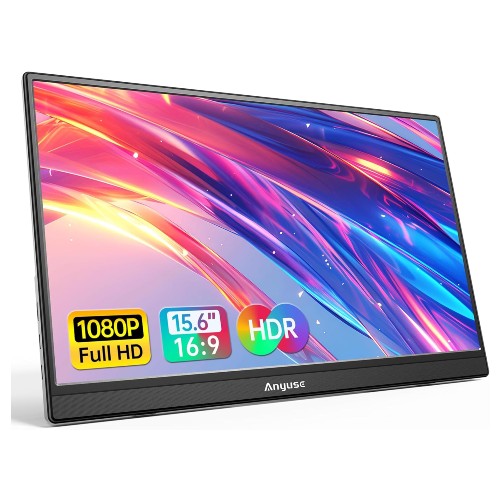
The Anyuse mini monitor is a great option for those seeking a versatile and compact mini monitor for travel or dual-screen purposes. Sporting a sleek, ultra-slim design, it’s a practical choice for users who frequently switch between devices like laptops, gaming consoles, or smartphones. It connects seamlessly through USB-C and HDMI ports, allowing for swift compatibility with a wide range of gadgets, including PCs, Macs, and gaming consoles. The IPS display ensures vibrant colors and clear images, making it suitable for both work-related tasks and gaming.
One noteworthy feature is its built-in kickstand, which provides stability without needing extra accessories, enhancing its portability. Despite its size, the 1080P resolution ensures detailed visuals, making it a solid contender against larger monitors when space is a constraint. Ideal for on-the-go professionals or gamers needing a second screen, we think this mini monitor strikes an ideal balance between functionality and affordability.
| Screen size: | 15.6 inches |
| Resolution: | 1920 x 1080P |
| Aspect ratio: | 16.9 |
| Screen surface: | Matte |
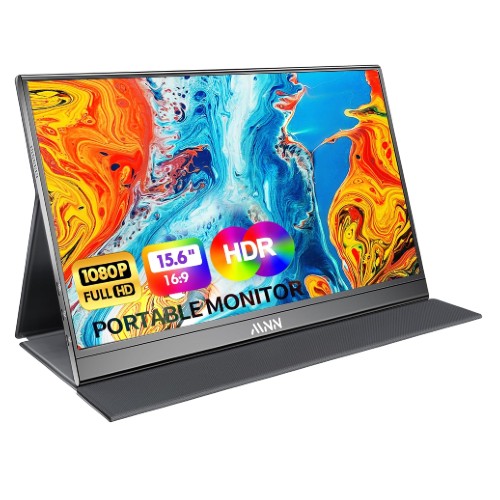
The MNN portable mini monitor provides a versatile and compact solution for enhancing your display options without breaking the bank. This mini monitor excels in portability with its ultra-slim design, making it an ideal choice for travelers, gamers, and professionals who require flexibility. With a crisp 1080P Full HD resolution, this display offers sharp visuals and vibrant colors, ensuring an immersive viewing experience whether you’re connecting it to a laptop, PC, phone, or Mac via USB-C or HDMI.
The addition of a smart cover and built-in speakers enhances its functionality, offering convenience on the go. What really stood out to us about this mini monitor is its plug-and-play capability, which simplifies connectivity and setup, eliminating the need for additional drivers or software. The IPS display technology provides wide viewing angles, allowing for consistent color and clarity from different perspectives. The inclusion of HDR support further elevates the visual quality, especially in gaming scenarios.
| Screen size: | 15.6 inches |
| Resolution: | 1920 x 1080P |
| Aspect ratio: | 16:9 |
| Screen surface: | Matte |
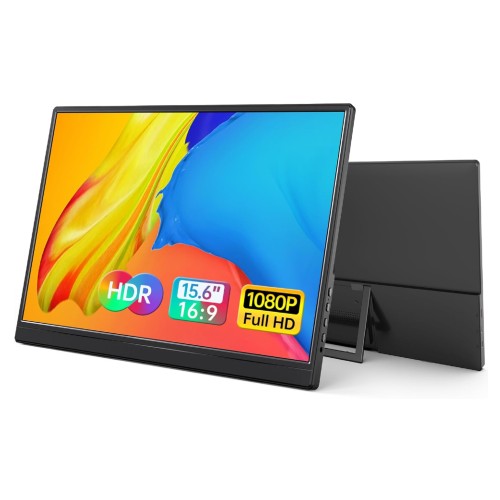
The Yxk mini monitor impressively combines portability with performance, making it an excellent choice for tech-savvy individuals who need a reliable secondary screen on the go. Its sleek, ultra-slim design and zero-frame construction make it a stylish addition to any setup, while the built-in kickstand provides stability and convenience whether you’re setting it up for work or play. As a mini monitor, it strikes a perfect balance between size and functionality, offering a generous screen size without sacrificing its compact nature, which is ideal for travel.
Compatibility is one of this mini monitor’s strongest suits, as it seamlessly connects to a variety of devices, including laptops, PCs, Macs, phones, gaming consoles via USB-C and HDMI interfaces. The 1080P IPS display ensures vibrant colors and sharp details, crucial for gaming and multimedia tasks. Its affordability and versatility make it a standout option for anyone in need of a portable display solution.
| Screen size: | 15.6 inches |
| Resolution: | 1920 x 1080P |
| Aspect ratio: | 16:9 |
| Screen surface: | Matte |
Whether you’re a digital nomad, a gamer on the go, or simply short on space, a mini portable monitor might be just the tech enhancement you need. But with numerous mini monitors on the market, choosing the right one can feel like a daunting task. In this guide, we’ll explore the product feature to look out for, so you can confidently pick a portable monitor that fits your unique needs.
When it comes to portable monitors, size and screen resolution are critical. You’ll find that most smaller monitors range from 7 inches to about 15.6 inches. A compact screen size is excellent for portability, but you must ensure it’s still large enough for your needs. If you need a mini monitor for basic tasks like checking emails or monitoring social media, a smaller size with a resolution of 720p might suffice.
However, for tasks that demand more detail, like graphic design or gaming, a larger screen with a Full HD resolution (1080p) or even 4K might be more appropriate. Always consider the balance between portability and practicality for the best viewing experience tailored to your needs.
A crucial aspect of selecting a mini monitor is its connectivity options. You’ll want to ensure that the mini monitor can easily pair with your existing devices. Many portable monitors offer HDMI and USB-C inputs, which are versatile and widely compatible with laptops, tablets, and gaming consoles.
If you plan on using the monitor with multiple devices, look for one with several ports. Some models also offer wireless connectivity, which can be a game-changer if you hate dealing with cables. Don’t forget to check for compatibility with your specific device’s operating system to avoid any unpleasant surprises.
One of the main reasons people opt for mini monitors is their portability. If you’re looking for a travel-friendly monitor, consider its weight, thickness, and overall build quality. A lightweight mini monitor with a slim profile is perfect for slipping into a backpack or laptop case.
However, you’ll also want to ensure that it’s sturdy enough to withstand the bumps and scrapes of travel. Look for build materials like aluminum or robust plastics, which offer a good balance between weight and durability. Some mini monitors also come with protective cases or covers, which can add an extra layer of protection when you’re on the move.
Understanding the power source of your mini monitor is another important consideration. Some mini monitors are powered via USB, which is convenient if you plan to use them with a laptop or power bank. Others have built-in batteries, offering increased portability as you won’t be tethered to an outlet.
If you choose a battery-powered model, pay attention to battery life to ensure it matches your usage needs. For frequent travelers or remote workers, a longer battery life can be a lifesaver. Always check the charging options too—fast charging capabilities can be a significant plus if you’re often on the move.
Mini monitors can come packed with features that enhance their usability. Some models offer touchscreen capabilities, which can be a great addition for interactive tasks or creative work. Built-in speakers might be essential if you need audio outputs directly from the monitor, while others might provide headphone jacks for more private listening sessions.
If you’re into gaming, look for monitors with high refresh rates and low response times to ensure smooth gameplay. Always consider the specific features that align with your intended use to get the most out of your mini monitor experience.
Mini monitors are available in a wide price range, from budget-friendly options under $100 to high-end models that can cost several hundred dollars. Before diving into your purchase, set a reasonable budget based on your requirements and consider what features are essential.
Additionally, check the warranty and customer support options. A good warranty can offer peace of mind, especially if you’re investing in a more expensive model. It’s always worth reading reviews and doing a bit of research to ensure you’re getting a quality product that stands the test of time.
To connect a mini monitor, use the appropriate cable (such as HDMI, USB-C, or DisplayPort) that matches the ports on both the mini monitor and your computer. Some models may require a driver installation, so check the product manual for specific instructions.
Yes, mini monitors can often be connected to a wide range of devices, including smartphones, tablets, gaming consoles, and cameras, as long as the device supports video output and you have the correct adapter or cable.
To clean your mini monitor, use a soft, lint-free cloth slightly dampened with water or a gentle screen cleaner designed for electronics. Avoid using alcohol or ammonia-based cleaners to prevent damage to the screen. Regularly check for dust and debris around the ports and gently clean them to ensure a good connection.
First, ensure all cables are securely connected and the monitor is powered on. Check your device's display settings to confirm the mini monitor is recognized. If the issue persists, try using a different cable or port, or test the monitor with another device to determine if the problem lies with the monitor or the connected device.
Most mini monitors allow you to adjust brightness and contrast through the on-screen display menu. Refer to your monitor's user manual for specific instructions on accessing and modifying these settings.
Yes, you can use a mini monitor as a primary display if it meets your needs. However, due to its smaller size, it may not be ideal for tasks requiring extensive screen real estate, such as video editing or graphic design.
Start by checking that all cables are properly connected and the monitor is powered on. Ensure that the correct input source is selected on the monitor. If problems persist, try updating the drivers for your graphics card or consult the manufacturer's support for further assistance.
Mini monitors can be powered through various means, such as an AC adapter, USB connection, or battery (for portable models). Check your specific model's requirements to ensure you have the necessary power supply.
Best Buy Guidebook is a culmination of online publishing lessons learned. From SEO to paid ads, our team has experienced the highest of highs and the lowest of lows. Our goal now is simple: Arm readers with the most information possible.