Best Buy Guidebook is a culmination of online publishing lessons learned. From SEO to paid ads, our team has experienced the highest of highs and the lowest of lows. Our goal now is simple: Arm readers with the most information possible.


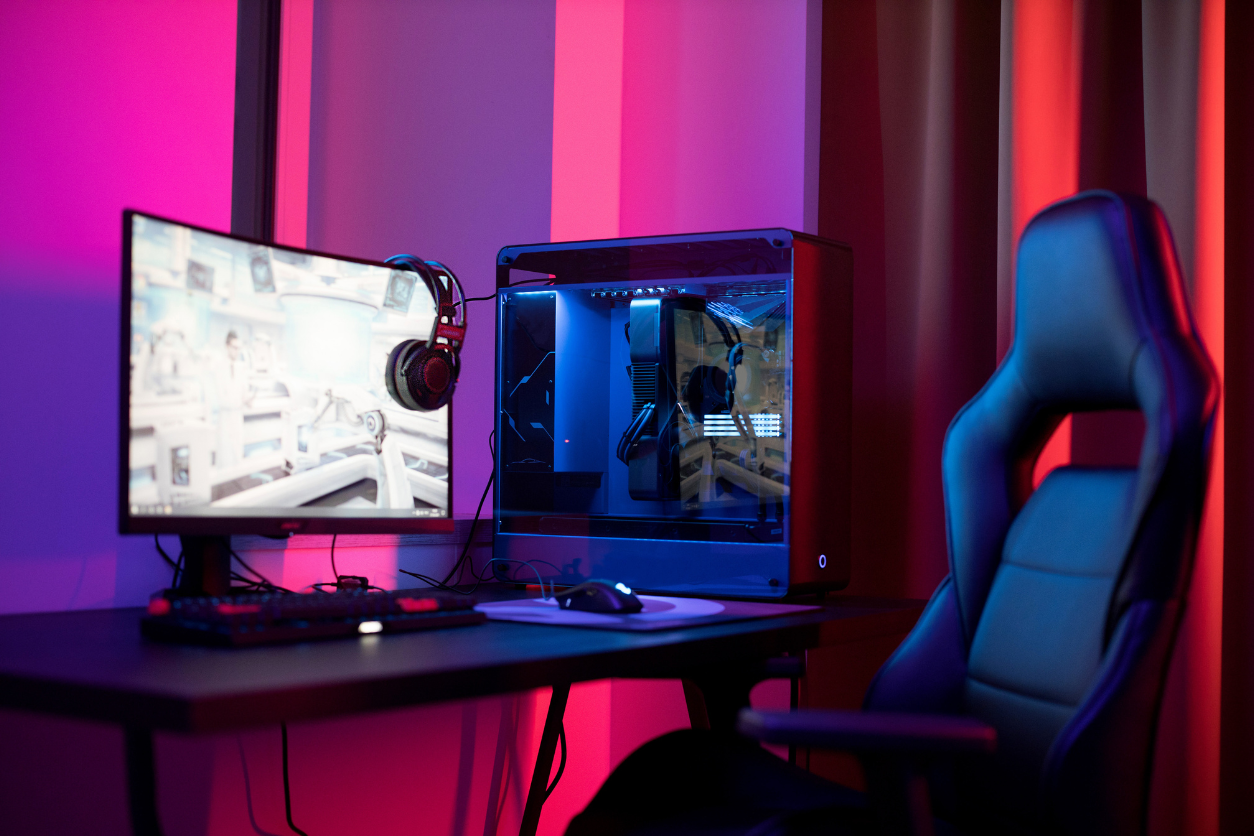
Does your daily work involve sitting in front of the computer for long hours? Do you find your back hurting and aching after you finally get up? If yes, then it’s high time you invest in one of the top reclining computer chairs of 2025.
A reclining computer chair has a flexible, ergonomic back support that allows you to lean back comfortably whenever you want to take a little break, talk to a friend, or maybe sleep for a while. This change in position relaxes your back and eases the pain. It also prevents serious health issues by relieving your lower body and improving blood circulation. So, if you wish to keep yourself healthy and fit, a reclining computer chair is a must-have. Read more to explore our favorite options!
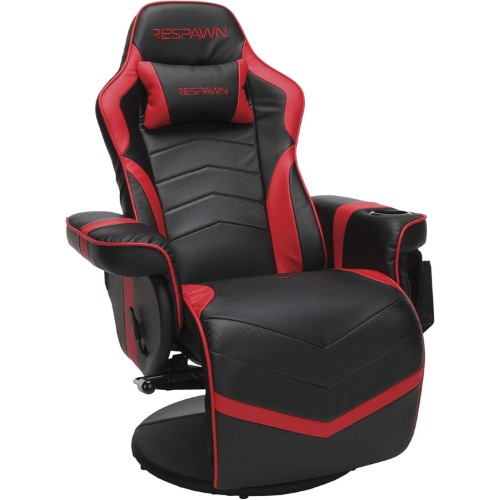
The RESPAWN Gaming Reclining Computer Chair is all you need to make work easy and pain-free. It has a sturdy bonded leather build that not only looks premium but also prevents scratches and tears. The chair’s continuous surface and separate controls are other benefits, which conveniently prevent wires from getting caught.
What’s more, the gaming chair is fully reclining and can lean back 135 degrees for relaxed game time. The chair also features generous padding on the seat, back, and armrest — you won’t feel the hard frame at all. There is a removable plush headrest and extendable footrest to make your position more comfortable, as well as a 275-pound weight capacity and built-in cupholder for added convenience. All in all, thanks to the quality padded build and 135-degree reclining angle, this gaming computer chair is the best overall option.
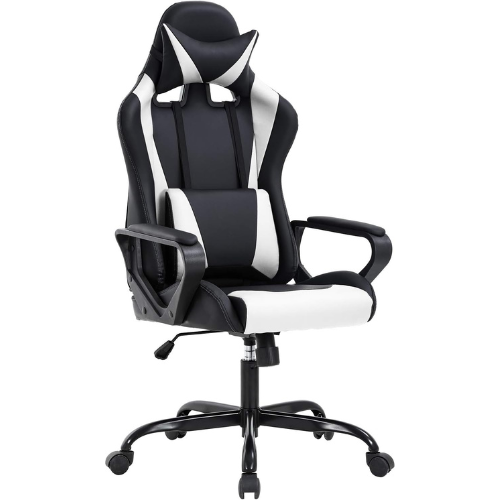
With contoured padding and integrated lumbar support, the BestOffice Reclining Computer Chair has an ergonomically-built design to make long work hours a breeze. The chair provides excellent back support to ease the pain and help maintain a good upright posture, and it also features padded headrests and armrests to make the experience even better.
This reclining chair has fully adjustable settings, so you can change the height, center-tilt and even flip up the armrests. Almost anyone can use this chair without worries because this product has a heavy-duty frame that can handle up to 250 pounds. Best of all, it is also easy to assemble thanks to the included step-by-step guidelines and hardware.
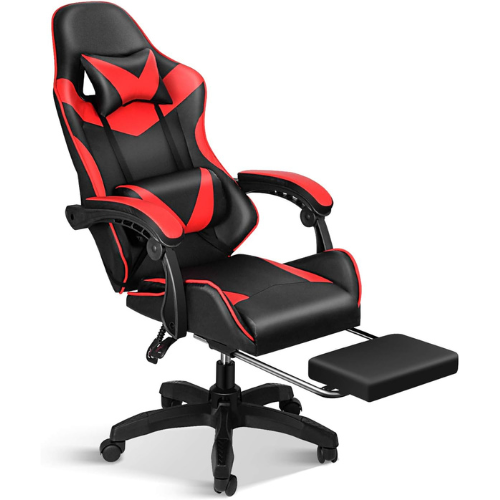
The YSSOA Reclining Computer Chair is ideal for those who want to experience comfortable gaming sessions. The ergonomic body-hugging high back provides excellent lumbar support and follows the natural curve of your spine. Thanks to the adjustable back, you can recline the chair from 90° to 120°. The armrests also provide great comfort by allowing you to rest your arms in a neutral, balanced position.
This chair has a well-padded seat, lumbar, and headrest cushions. Additionally, the retractable footrest helps you to relax your legs and knees during long hours of gaming. The adjustable 3-inch height allows you to sit flat on the floor and your knees at an angle of 90 degrees to the floor and parallel to the hips. Furthermore, the 360° free swivel seat allows you to find the most comfortable position.
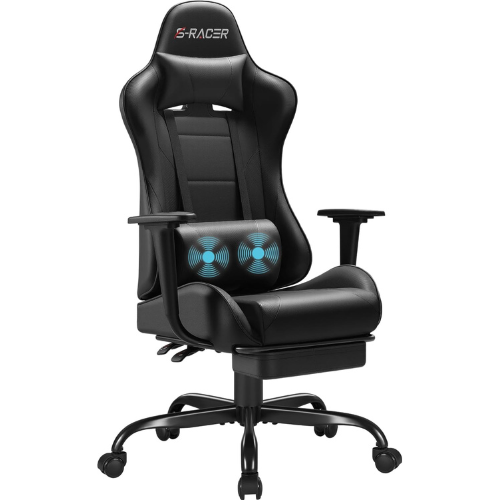
Having a tight budget does not mean you should compromise on poorly-designed and uncomfortable chairs. The Homall Ergonomic Reclining Computer Chair is an excellent example of how you can get great value for less money. This robust chair has a steel frame with elastic PU leather covering and high-density sponge cushioning, so it feels and functions like a premium model.
There is built-in lumbar support and headrest to prevent back pains, while the retractable footrest also helps enhance comfort by letting you stretch your feet. You can even adjust the seat height for a better position. As for the reclining angle, the chair leans back up to 160-degrees, which is great for naps. For your convenience, there are easy-to-reach wrenches on the side to control the angle.
A reclining computer chair is an ultimate way to add comfort to your daily work routine. That said, the level of comfort provided depends on the chair type and particular features. To help, we’ve discussed everything you need to know to make the best purchase in this guide.
Before we dive into the details, let’s first have a look at what makes the reclining computer chair a worthy purchase.
A reclining chair helps relieve the pain that comes with sitting in the same position for a long time, letting you stretch your muscles and straighten your spine. As a result, the pressure on your musculoskeletal system reduces, and so does the pain.
Sitting upright causes the blood to flow towards your legs and feet, disrupting blood circulation and triggering problems like inflammation. However, when you’re in a reclined position, the lower body lifts, and gravity helps correct the blood flow.
Because it helps you feel less pain, a reclining chair puts you into a relaxed, comfortable state of mind. This improves your mood and makes you focus better so you’re able to work productively and efficiently.
Reclining the chair brings a change into the sedentary position without you having to get up, so you can just lean back and get the comfort you need. Some people end up having their power naps on these reclining chairs!
A reclining chair uses a tilt mechanism that allows you to recline and push the chair back. There are different types of tilt mechanisms present in a reclining office chair. These include:
The swivel tilt makes the chair recline from the center point so the angle between the backrest and the seat stays the same. This is why most people also call this type a center-tilt mechanism.
Swivel tilt chairs make reclining easy and also lift your feet for better blood circulation, but you may want to ensure there’s a footrest.
As the name explains, this mechanism makes the chair tilt back from behind the knee’s position. Its reclining is smooth and effortless while keeping your feet on the ground, which is great if the chair doesn’t have a footrest.
The synchro-tilt chairs have a unique mechanism where the seat and the backrest move at different angles with a ratio of 2-to-1. So, if the backrest reclines at 10 degrees from the upright position, the seat will recline at 5 degrees. These synchro-tilt chairs encourage a more natural sitting position while keeping the feet on the ground.
There are different types of reclining chairs to serve different purposes. Here’s an overview to help you select the best one:
Fully reclining
Fully reclining chairs have the potential to recline up to 135 degrees or more. These chairs offer excellent support to the back, but the extreme reclining position might affect productivity for some. Usually, people use it when they have long breaks at work to take naps or if they have severe back pain and poor posture.
Partial reclining chairs have a limit and don’t provide you with the same level of reclination as fully reclining chairs. That said, these chairs do take the pressure off your back and ease the pain and are an ideal choice for everyday work that involves short breaks.
Ergonomic is a term used to describe items designed for comfort in a work environment, so you can expect such reclining chairs to be relaxing and efficient. They typically feature high-quality lumbar support, seat depth adjustment, and footrests. Generally, these chairs are best for working individuals with high budgets.
The features of a reclining computer chair can make or break the experience, so you should look for features that fulfill your needs the best.
Some reclining chairs have limitations while others don’t. You’ll want to choose a chair with a low reclining angle for small breaks. Meanwhile, a high reclining angle (135+ degrees) is ideal for leaning back completely and even taking a nap.
Some people prefer office chairs that have 170 to 180-degree reclining angles. Although these are the best for naps, you may find them hard to use in public settings like an office.
Reclining chairs without a tilt lock can feel flimsy and unreliable. The angle changes a lot and you find yourself adjusting it more frequently than desired, so it’s best to choose one that features a sturdy lock mechanism. It doesn’t matter whether the lock is in the form of a lever or knob, but you should be able to set the chair to one angle for ease of use.
Besides the reclining angle, you should look for the office chair’s overall adjustability, including height, seat depth, armrest, and headset. Experiment with different settings to find the optimal position.
Padded office chairs have a soft, fluffy exterior. There are different foam cushion types stuffed inside to make sitting a comfortable experience, such as polyurethane and memory foam.
Whatever you choose, make sure the padding is slightly stiff to prevent squishing over time. Also, the chair should have padding on the armrests and footrests, which ensures you don’t feel the hard chair frame.
Lumbar support refers to the curved backrest that gives additional support to your lumbar region (the lower spine). Having lumbar support in chairs eases back pain and encourages good posture. It also fills in the gap between the back and the seat, which supports the natural curve.
Most reclining computer chairs won’t feature a footrest. This additional feature provides your feet with a place to rest and increases comfort levels and is especially useful in high reclining angles where your feet are lifted off the ground.
Another thing you’ll want to consider is a footrest extension. While most footrests will work for average height people, those taller than 6 feet will find fitting may be difficult. So, make sure the footrest extension is larger enough to fit the legs and feet.
Upholstery is the exterior or the covering of the office chair. Typically, people prefer leather upholstery (genuine or artificial) because it gives a nice, premium feel. Unfortunately, it doesn’t provide good airflow and tears easily when neglected.
Alternatively, there are reclining chairs with mesh frames, which feels sturdy, stiff, and reliable. While it may not appear premium, it does offer great airflow so you won’t feel sweaty after sitting in one place for long periods.
Yes, reclining chairs are useful because they let you lean back and give your body some rest. You don't have to sit upright for long consecutive hours and, as a result, you will notice less back pain and improved posture.
Office chairs come in a variety of prices that range from $100 to $1,500, depending on the quality and overall features. Generally, a good office chair with an ergonomic design and adjustability can cost you $200+.
Office chairs stop leaning back when the tension adjustment knob is set too high. It won't damage the chair, but it will prevent any movement and changes in the angle.
Best Buy Guidebook is a culmination of online publishing lessons learned. From SEO to paid ads, our team has experienced the highest of highs and the lowest of lows. Our goal now is simple: Arm readers with the most information possible.