Best Buy Guidebook is a culmination of online publishing lessons learned. From SEO to paid ads, our team has experienced the highest of highs and the lowest of lows. Our goal now is simple: Arm readers with the most information possible.


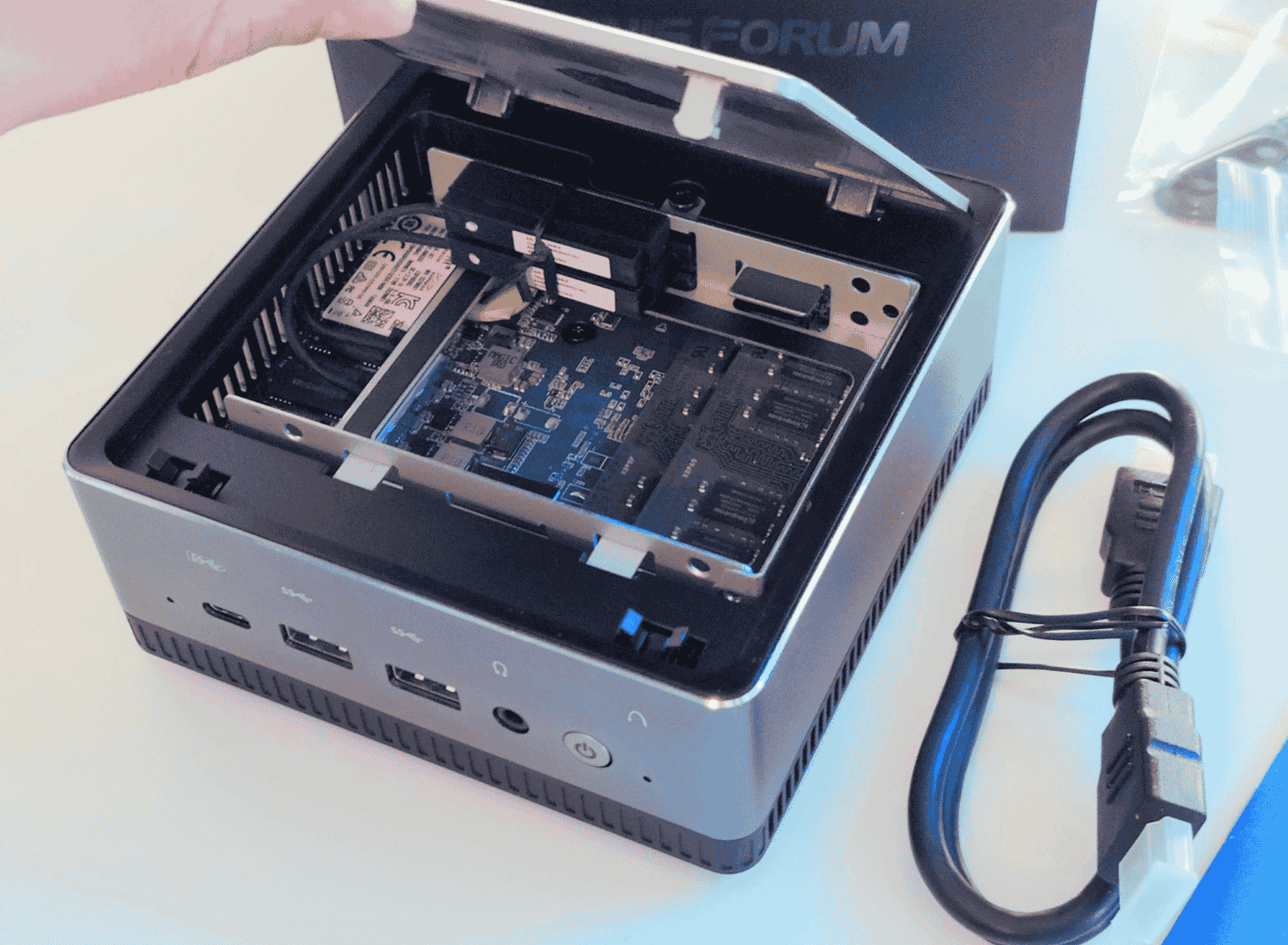
Micro PCs are great for those seeking powerful computing capabilities in compact forms, offering significant advantages in versatility and space efficiency. These devices, characterized by features such as extended battery life, compact screen sizes, and robust storage options, cater to both professional and personal computing needs. We researched and evaluated several models of micro PCs to determine the best performers. The KAMRUI Essenx E2 N150 Mini PC stood out as our number one choice, boasting an impressive 16GB RAM and 512GB SSD, making it a top performer in its category. Keep reading to discover the unique specifications of the best five micro PCs.
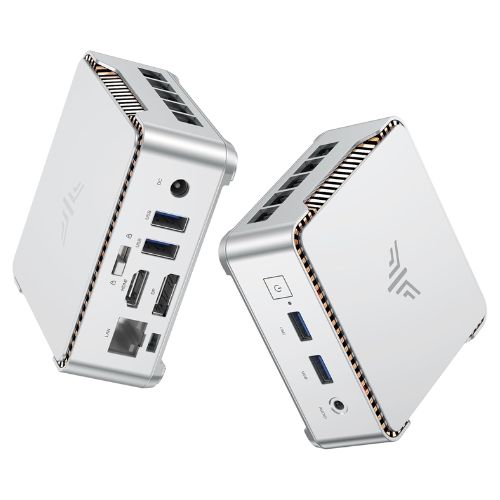
The KAMRUI Essenx E2 N150 Mini PC emerges as the top contender for those seeking a compact yet powerful computing solution. Equipped with 16GB DDR4 RAM and a 512GB SSD, this micro PC combines efficiency and ample storage, making it suitable for both home and office use. The Twin Lake-N N150 processor, which surpasses the N100, operates at speeds up to 3.6GHz, offering smooth performance for everyday tasks. Notably, the dual HDMI+DP1.4 ports enable 4K UHD output, allowing users to enjoy crisp, high-resolution visuals on multiple displays. This feature proves particularly advantageous for multitaskers who require seamless transitions between different screens.
Additionally, this micro PC supports Gigabit Ethernet, WiFi, and Bluetooth, ensuring flexible connectivity for various online and wireless applications. Its compact design does not compromise functionality, providing a reliable alternative for users with limited space. If you’re in the market for a versatile, space-efficient desktop solution, this mini PC could serve as a practical and efficient choice, especially for environments with constrained space but high demand for processing power and connectivity.
| CPU: Intel Twin Lake-N N150, 4C/4T, 3.6GHz | Ports: 2x USB3.2, 2x USB2.0, HDMI, DP |
| RAM: 16GB DDR4, expandable | Connectivity: Gigabit Ethernet, WiFi, Bluetooth |
| Storage: 512GB M.2 SSD, up to 2TB | Dimensions: 3.94 x 3.94 x 1.42 inches |
| Graphics: UHD, supports 4K@60Hz dual display |
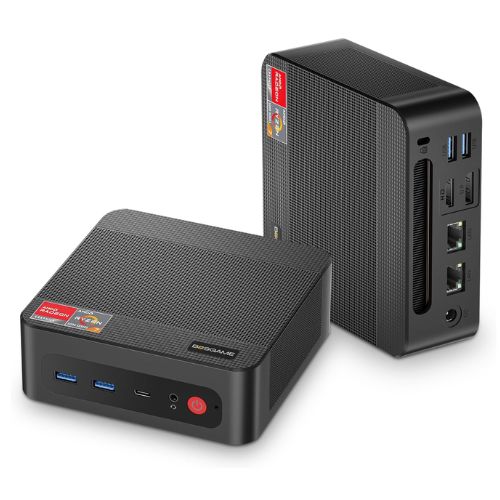
The BOSGAME P4 Light Gaming Mini PC emerges as a versatile choice for gamers and professionals seeking a compact yet powerful computing solution. This Micro PC, powered by the Ryzen 7 5700U processor, stands out with its 32GB RAM and a substantial 1TB SSD, ensuring seamless multitasking and ample storage for games and applications. Its support for triple 4K 60Hz displays via HDMI, DP, and Type-C connections offers a remarkable visual experience, making it a suitable option for both gaming and productivity tasks. What makes this mini PC particularly appealing is its compatibility with a PS3 emulator, catering to retro-gaming enthusiasts who appreciate classic titles. Connectivity options are top-notch, featuring WiFi 6E and BT5.2 for faster and more stable wireless connections. The dual 2.5 GbE LAN ports further expand its networking capabilities. While it might not replace a high-end gaming rig, this micro PC offers a commendable balance between performance and size, proving to be an excellent choice for those prioritizing space-saving without compromising on power.
| Ryzen 7 5700U, 8-core, 16-thread CPU | Triple 4K@60Hz display support |
| Radeon GPU at 1900MHz | Dual 2.5GbE LAN ports |
| 32GB DDR4 RAM, expandable to 64GB | WiFi 6E, Bluetooth 5.2 connectivity |
| 1TB PCIe 3.0×4 M.2 SSD |
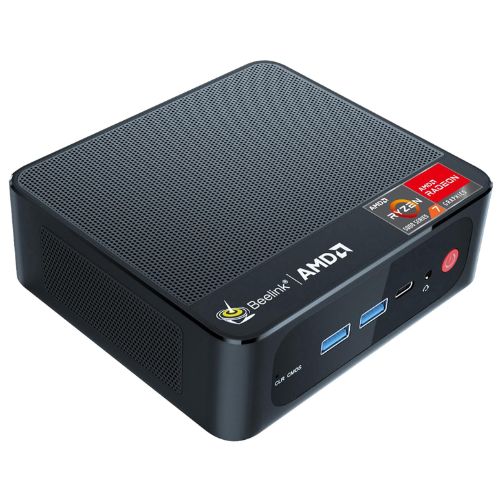
The Beelink SER5 Mini PC stands out as a compelling option for those seeking a powerful yet compact computing solution. Equipped with an AMD Ryzen 7 5850U PRO processor, featuring eight cores and 16 threads clocking up to 4.4GHz, this micro PC promises adaptable performance for a variety of tasks. Whether you’re setting it up for a home office, gaming, or multimedia use, the SER5 can handle demanding applications with ease. It comes with 16GB of DDR4 RAM and a 500GB M.2 2280 SSD, providing ample memory and storage to support multitasking and data-intensive software.
This micro PC also excels in connectivity, boasting WiFi 6 and Bluetooth 5.2 for fast and reliable wireless connections. Additionally, its support for 4K FPS ensures that visual content is delivered with stunning clarity. The inclusion of USB 3.2 ports allows for speedy data transfer and easy hookup of peripherals.
| AMD Ryzen 7 5850U PRO CPU | AMD Radeon graphics, 8 core, 2000 MHz |
| 8 cores, 16 threads, up to 4.4GHz | Supports 4K triple display (HDMI, DP, Type-C) |
| 16GB DDR4 RAM, expandable to 64GB | WiFi6, Bluetooth 5.2, 1000Mbps Ethernet |
| 500GB PCIe3.0 SSD, expandable to 2TB |
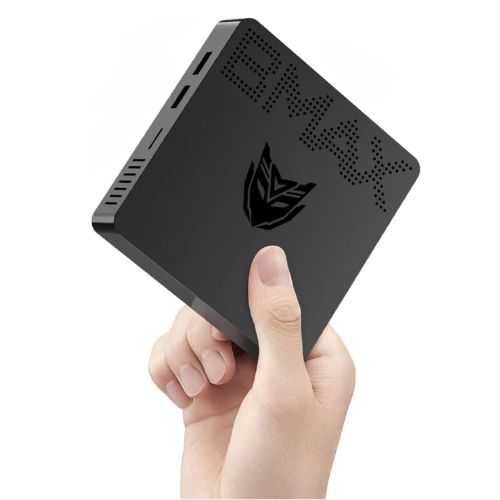
The Bmax Mini PC B1 Pro presents an intriguing option for those seeking a compact yet powerful computing device. Designed with the Intel Gemini Lake N4000 processor, this micro PC offers a performance boost with speeds up to 2.6 GHz, making it suitable for everyday tasks and light multitasking. The inclusion of 8GB LPDDR4 RAM and 128GB eMMC storage ensures smooth operation and adequate storage for basic applications. If more space is needed, the device supports up to 512GB/2TB M.2 SSD expansion, providing flexibility for users with larger storage requirements.
Beyond its core capabilities, this mini PC impressively supports dual 4K displays, catering to users who require a multi-monitor setup for work or entertainment. Equipped with 2.4G/5G dual WiFi and Bluetooth 4.2, it maintains stable connectivity across various networks and devices. Its small size does not compromise functionality, allowing it to fit seamlessly into any workspace without dominating the area. This micro PC stands out as a versatile and cost-effective option for those in need of a PC that balances performance, expansion options, and connectivity.
| Celeron N4000, 1.1-2.6GHz CPU | 8GB RAM, 128GB eMMC storage |
| Pre-installed OS included | Expandable with M.2 SATA SSD |
| Dual-Band Wi-Fi 802.11ac support | Compact size: 4.7 x 4.7 x 0.9 inches |
| Bluetooth 4.2 enabled |
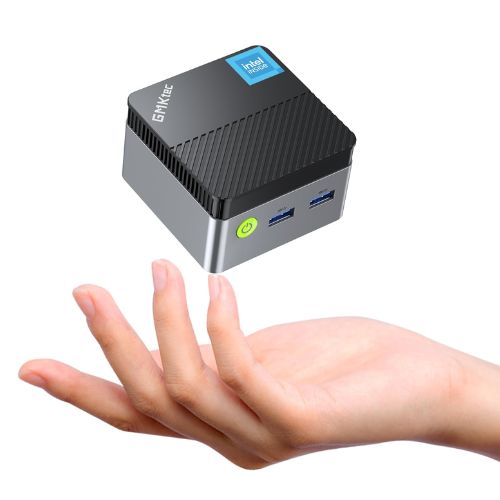
The GMKtec Mini PC N97 is a remarkable choice for those seeking a compact yet powerful computing solution for business, school, or office environments. Powered by the 12th Gen Intel Alder Lake N97 processor, this micro PC delivers impressive speeds of up to 3.60GHz, ensuring smooth multitasking and efficient performance. With 12GB DDR5 RAM and a 256GB hard drive, it meets the demands of modern applications without faltering, making it a reliable choice for both professional and educational use.
One of the standout features of this mini PC is its compact design, which offers space-saving advantages for tight workspaces or minimalist setups. Despite its small size, this micro PC does not compromise on connectivity or expandability, accommodating various peripheral devices seamlessly. This makes it suitable for users who require a versatile desktop that can handle diverse tasks, from document editing to media streaming. Additionally, its efficiency and reduced power consumption align with eco-conscious preferences, a notable advantage in today’s world.
| Intel Alder Lake N97, 4C/4T, up to 3.6GHz | Ports: 3 USB 3.2, 1 Gigabit Ethernet |
| Intel UHD Graphics, 24 EUs, 1.20GHz | Size: 2.83 x 2.83 x 1.75 inches |
| Supports 4K resolution, 4096 x 2160 at 60Hz | Silent cooling fan technology |
| Dual HDMI ports for multi-screen setup | Includes power adapter and user manual |
Whether you’re looking to declutter your desk, find a compact solution for your media center, or need a portable workstation, micro PCs can be a fantastic choice. These mini-sized powerhouses pack quite a punch despite their small size. But with so many options out there, how do you know which one is right for you? This guide will walk you through everything you need to know to make an informed decision.
When it comes to micro PCs, performance is key. Don’t let their small size fool you; these devices can be as powerful as traditional desktops. Look at the processor first. Intel and AMD offer a range of CPUs to fit your needs, from basic tasks to more demanding applications. If you’re planning to use your micro PC for gaming or heavy multitasking, opt for models with Intel i5 or i7, or AMD Ryzen 5 or 7 processors. Next, think about the RAM. For general use, 8GB is a good starting point, but if you’re into gaming or video editing, 16GB or even 32GB might be more appropriate. And don’t forget about storage! Solid State Drives (SSDs) are faster than traditional hard drives and can significantly boost your PC’s performance. Aim for at least 256GB SSD, and if you can, go for more to future-proof your setup.
Graphics capability is another crucial factor to consider, especially if you’re a gamer or work with graphics-intensive applications like video editing software. Many micro PCs come with integrated graphics, which are fine for everyday tasks but might fall short for gaming or creative work. If you need more power, look for micro PCs with dedicated graphics cards. NVIDIA and AMD offer compact GPUs that fit in smaller cases, and these can dramatically enhance your experience. Additionally, pay attention to the ports; having HDMI, DisplayPort, or Thunderbolt 3 can be a game-changer for connecting multiple monitors or high-resolution displays.
A micro PC with versatile connectivity ensures you’re not constantly fumbling for adapters and dongles. Check for a variety of USB ports—both USB-A and the newer USB-C—and make sure there are enough for your keyboards, mice, and other peripherals. Don’t forget about wireless connectivity. Modern micro PCs should support Wi-Fi 6 for faster internet speeds and Bluetooth 5.0 for better wireless device connectivity. If you plan to use wired internet, make sure an Ethernet port is available as well. Lastly, consider other ports like HDMI, DisplayPort, or even Thunderbolt if you have specific needs for external monitors or storage devices.
The size and design of a Micro PC can greatly influence your choice, especially if space-saving is a priority for you. Micro PCs come in various shapes and sizes, from those that fit snugly behind a monitor to sleek, stylish units meant to be displayed. Consider where the PC will primarily live and how much space you have available. Additionally, think about the design in terms of aesthetics and ventilation. A well-ventilated design will prevent overheating, which is especially important if your micro PC will be running intensive applications. Some designs also offer tool-less access, making it easier to upgrade components like RAM or storage in the future.
Choosing the right operating system is essential for ensuring a smooth user experience. The majority of micro PCs run on Windows, which offers a broad range of applications and is user-friendly. However, if you’re within the Apple ecosystem, there are Mac Mini options to consider, although they tend to be pricier. For those who prefer open-source software, Linux is a fantastic option. Some micro PCs come with Linux pre-installed, while others allow you to install it yourself. Consider your familiarity with each OS and what software you plan to use when making your choice.
Micro PCs can range from a couple of hundred dollars for basic models to well over a thousand for high-performance machines. Determine your budget beforehand and identify the features that are most important to you. Don’t overlook the warranty either. A good warranty can provide peace of mind and save you money in case anything goes wrong. Check if the manufacturer offers an extended warranty and what it covers. Also, consider brands known for reliable customer support, as this can make a huge difference should any issues arise.
A micro PC is a compact and lightweight personal computer designed to provide similar functionality to a standard desktop PC but with a much smaller form factor.
To set up your micro PC, connect it to a monitor using an HDMI or DisplayPort cable, attach a keyboard and mouse via USB or Bluetooth, and plug in the power adapter. Power on the device and follow the on-screen instructions to complete the initial setup.
You can connect your micro PC to the internet via Wi-Fi if it has a built-in wireless card or by using an Ethernet cable to connect directly to a router or modem.
Most Micro PCs can run a variety of operating systems, including Windows, Linux, or Chrome OS. Ensure compatibility with the specific model and system requirements before installation.
Regularly clean the vents and exterior to prevent dust buildup, keep the software and operating system up to date, and run antivirus scans to protect against malware.
Check the power connection and ensure the power adapter is properly plugged in. Try using a different power outlet. If the problem persists, consult the user manual or contact customer support for assistance.
Some micro PCs allow limited upgrades, such as increasing RAM or replacing storage drives. Check the manufacturer's guidelines to see which components, if any, are user-upgradable.
While many micro PCs are not designed for high-end gaming due to limited graphics capabilities, some models with better GPUs can handle casual or less demanding games. Check the specifications of the Micro PC for gaming compatibility.
Best Buy Guidebook is a culmination of online publishing lessons learned. From SEO to paid ads, our team has experienced the highest of highs and the lowest of lows. Our goal now is simple: Arm readers with the most information possible.