
What’s the Difference Between HDMI Splitter and HDMI Switcher?

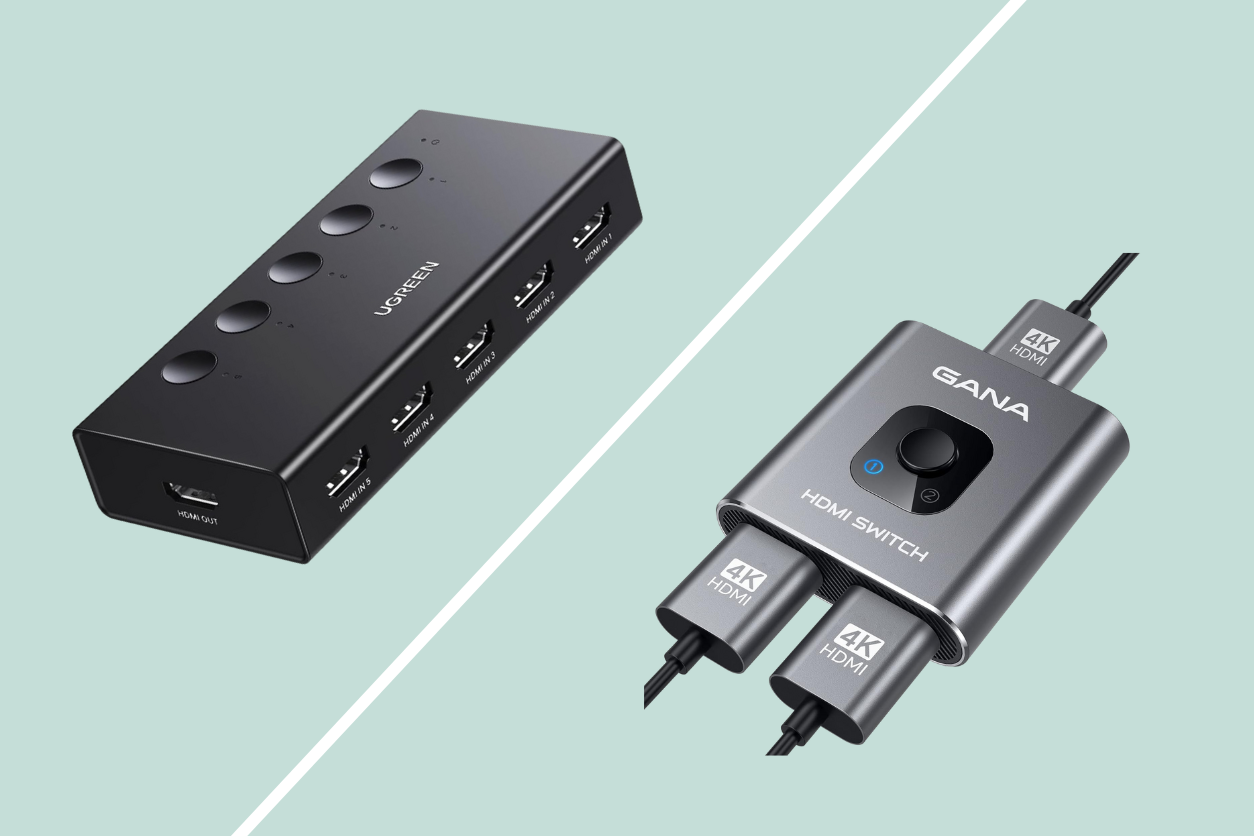
It’s easy to get tangled up in the mess of cables and ports when setting up your home entertainment system. If you’re like me, you’ve probably found yourself staring at the back of your TV, trying to figure out how to connect all your devices without running out of HDMI ports. HDMI switcher and splitter are handy devices that can help manage multiple HDMI connections, but it’s important to know the difference between the two before deciding which one you need.
When people hear about HDMI switchers and splitters, they often think they do the same thing. However, these two tools serve different purposes, and choosing the wrong one can lead to a frustrating setup. If you’re wondering whether you need an HDMI splitter or switcher—or maybe even both—this guide will help you decide.
What Is an HDMI Switcher?
An HDMI switcher is your go-to device when you have multiple HDMI sources but not enough HDMI ports on your TV or AV receiver. Imagine you’ve got a gaming console, a streaming box, and maybe a Blu-ray player, but only one HDMI port left on your TV. Instead of constantly swapping cables, a switcher lets you connect all these devices to a single HDMI port and switch between them with ease.
The key feature of an HDMI switch is that it allows you to select which source you want to use at any given time. This means you can have your gaming console, streaming box, and Blu-ray player all plugged into the switcher, and with the press of a button, choose which one to display on your TV. It’s a simple, effective solution for those of us with too many gadgets and not enough ports.
The Role of an HDMI Splitter
On the other hand, an HDMI splitter does something quite different. If an HDMI switcher is all about selecting from multiple inputs, a splitter is about sending one input to multiple outputs. In other words, if you want to show the same content on two or more screens simultaneously, an HDMI splitter is what you need.
For example, let’s say you’ve got a home office setup where you want to display your computer screen on both a monitor and a TV. An HDMI splitter takes the signal from your computer and sends it to both screens at the same time. This can be particularly useful for presentations, multi-room setups, or any situation where you want the same content displayed on multiple screens.
Do You Need an HDMI Switcher or a Splitter?
Now that we’ve covered what each device does, the question is: which one is right for your setup? The answer depends on your specific needs.
If you’re dealing with multiple devices and a limited number of HDMI ports, an HDMI switch is the way to go. It simplifies your setup by allowing you to keep everything connected and switch between devices without constantly unplugging and re-plugging cables. This is especially useful if you have a home theater system with various components like a soundbar, gaming consoles, and a streaming device.
Related: What Is HDCP and How It Can Affect Your Home Theater Setup
However, if your goal is to display the same content on more than one screen, an HDMI splitter is what you need. This is ideal for scenarios like wanting to watch a movie in multiple rooms of your house or displaying the same content on a projector and a TV simultaneously.
Things to Keep in Mind
A common misconception is that HDMI splitters can be used interchangeably with switchers or that they offer dual functionality. It’s important to remember that a splitter only duplicates the signal from one source to multiple outputs; it doesn’t allow you to choose between multiple inputs. Similarly, a switcher won’t let you send one signal to multiple screens—it’s all about switching between sources.
Another thing to keep in mind is the quality of the signal. With an HDMI splitter, the signal is essentially copied and sent to multiple outputs, which can sometimes lead to a reduction in signal strength. This isn’t usually a problem with modern equipment, but if you’re running long cables or have an older setup, you might notice a difference in quality. In those cases, you might need a powered splitter, which amplifies the signal to ensure that each output receives the same high-quality image and sound.
Lastly, whether you’re using an switcher or splitter, make sure that all your devices support the same HDMI standards. This includes considering whether they all support features like 4K resolution, HDR, or HDCP. Mismatched standards can lead to compatibility issues, such as no signal or reduced video quality.
Decades of Combined Expertise
Best Buy Guidebook is a culmination of online publishing lessons learned. From SEO to paid ads, our team has experienced the highest of highs and the lowest of lows. Our goal now is simple: Arm readers with the most information possible.