Best Buy Guidebook is a culmination of online publishing lessons learned. From SEO to paid ads, our team has experienced the highest of highs and the lowest of lows. Our goal now is simple: Arm readers with the most information possible.


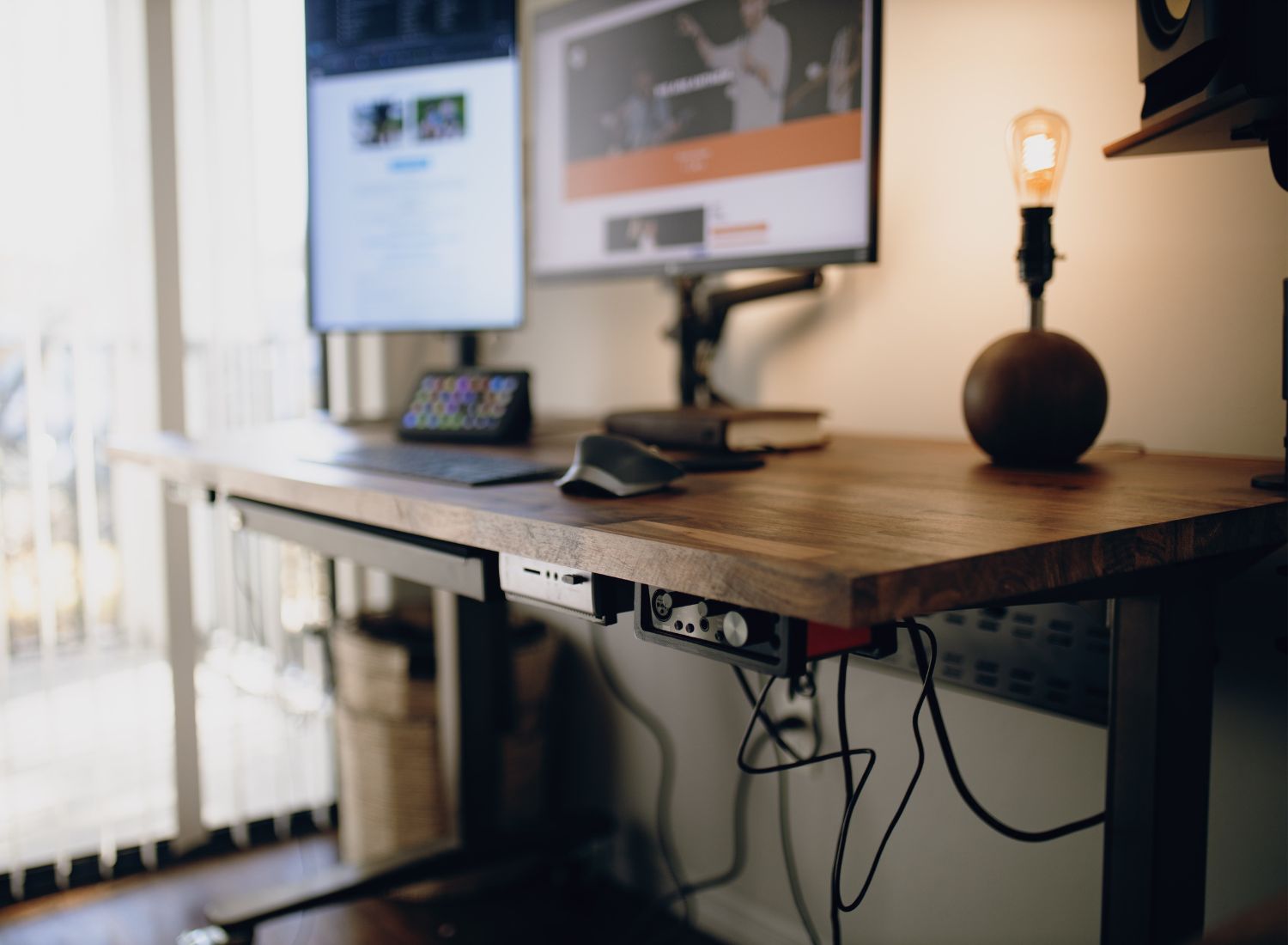
While I love working from home, it can be easy to get distracted if my workspace isn’t clean, organized, and optimized for productivity. Organizing the cables and wires by your desk is a great place to start. Properly organizing cables keeps you from accidentally tripping on them, reduces wear and tear, and improves the overall aesthetic of your office setup.
In my search for the best cable management gadgets to help me tame the chaos under my desk, I looked at factors like versatility, durability, and compatibility with various desk setups. Among the top contenders, the Sleek Socket outlet concealer kit stands out because it seamlessly fits behind my desk and lets me redirect the unsightly wires somewhere I can more easily hide them. It minimizes cord visibility and maximizes accessibility, making it the best choice for maintaining a tidy and functional standing desk environment.
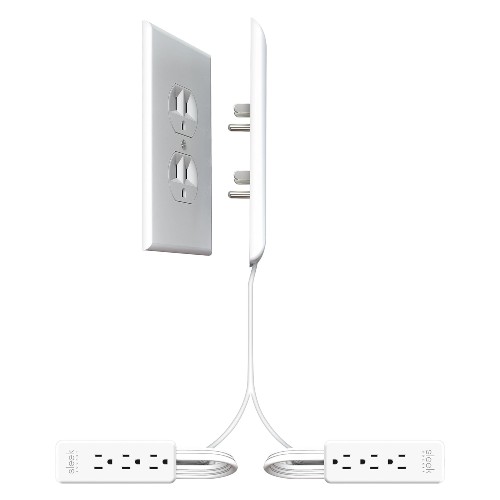
The Sleek Socket ultra-thin outlet concealer is a game-changer for anyone looking to tidy up their space. This clever device hides your outlets and organizes your cords with its dual 8-foot flat extension cords, all while blending effortlessly with your décor. It fits neatly behind furniture, keeping your home looking clean and stylish. Perfect for standing desks and home offices, it helps you tackle the mess of tangled cords and cables that can make your space feel chaotic.
Its safety-certified design keeps cords out of the way, reducing tripping hazards and potential damage. Plus, by extending outlets to more convenient spots, it adds a practical touch to your setup. For those who value a minimalist, organized environment, this cable management for standing desks is more than just a nice-to-have—it’s a must-have for a streamlined, efficient workspace.
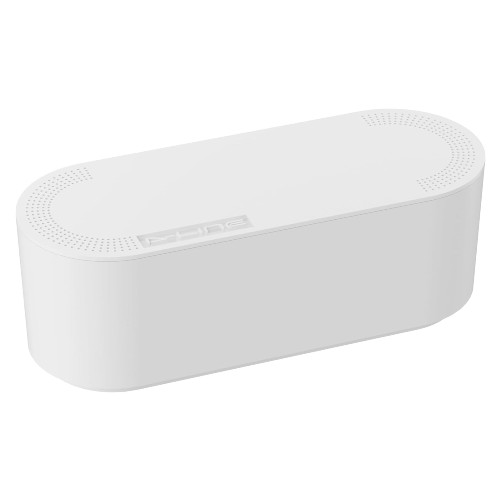
Pairing the D-Line cable management box with the Sleek Socket outlet concealer can elevate your cable management setup, especially for standing desks. This cable management box is perfect for hiding power strips and organizing cords, making your workspace look clean and clutter-free. By tucking away those messy wires, it keeps your desk area neat and safe, reducing the risk of accidents from tangled cables.
This versatile cable management for standing desks also helps conceal TV wires, store extension cords, and even keeps cables out of reach of curious little ones, enhancing safety around your home or office. Its sturdy build and sleek white finish blend effortlessly with any décor, making it a stylish yet functional addition.
Used together with the Sleek Socket outlet concealer, you can completely hide your desk wires by moving outlets to more convenient locations and then neatly storing the extra cords in the D-Line box. This combination ensures a tidy, efficient, and visually appealing workspace, perfect for anyone aiming to maintain a streamlined and organized environment.
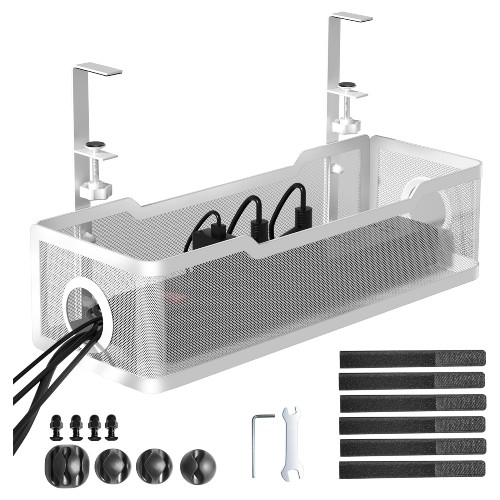
The under desk cable management Tray by Cinati is another great companion to the Sleek Socket outlet concealer for tackling under-desk cable clutter, especially with a standing desk. This tray offers a simple, no-drill installation with its secure clamp system, meaning you can attach it to your desk without causing any damage. Its sleek white design blends effortlessly into any workspace, providing organization without being intrusive.
When used alongside the outlet concealer, this tray takes your standing desk cable management to the next level by keeping all your cords, power strips, and even small devices neatly contained and off the floor. By concealing outlets and extending them to more convenient locations, you can then tuck the extra cords into the tray to create a streamlined and tidy setup.
This combination not only keeps your workspace clean but also enhances productivity by reducing the visual clutter of messy cables. This cable management tray makes your standing desk setup look organized and professional, making it a must-have for anyone serious about maintaining an efficient and aesthetically pleasing office or home environment.
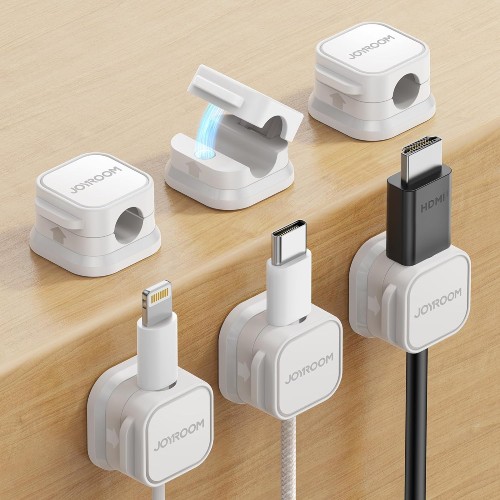
The Joyroom magnetic cable clips are perfect for keeping cords you need frequent access to, like phone chargers and laptop chargers, right where you want them. Thanks to their magnetic design, these clips securely hold your cables in place, preventing them from slipping off your desk or getting tangled. This makes them especially useful for standing desk cable management, where easy access to chargers and other cables is essential.
What’s great about these clips is their versatility—you can easily move them around to different spots on your desk, nightstand, or even in your car, ensuring that your cords are always within reach. Their adhesive backing provides a secure hold on various surfaces, and the clips are adjustable to fit different cord sizes, making them ideal for managing everything from thin phone chargers to thicker laptop cables.
This cable management for standing desks enhances the look of your workspace by turning cable clutter into a neat, streamlined setup. Whether you’re working in your home office, relaxing by your bed, or driving in your car, these magnetic clips offer a flexible and practical solution for cable management. They make accessing your chargers quick and easy, helping to keep your space both functional and tidy.
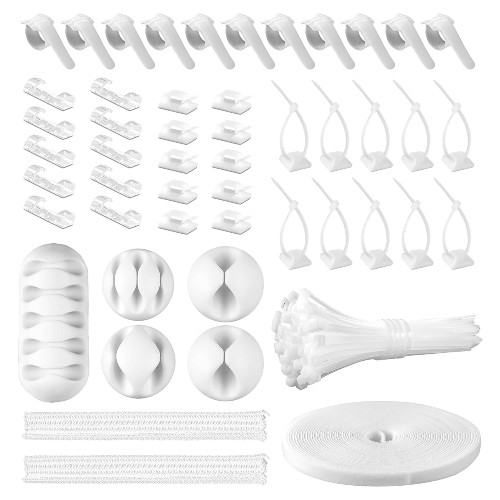
This cord management organizer kit is an excellent standalone solution for tackling cable clutter, especially in setups like standing desks. It includes everything you need to organize your cords: two cable sleeves that split open to accommodate various cable types, 41 self-adhesive cable clip holders for securing cords along surfaces, and plenty of self-adhesive ties and fastening cable ties to bundle and tidy up cables.
When used in conjunction with the Sleek Socket outlet concealer, this kit takes your standing desk cable management to the next level. The kit’s cable sleeves neatly gather and hide the cords extending from the outlet concealer, while the adhesive clips keep everything securely in place along your desk or wall, ensuring that your workspace remains clean and free from tangled wires.
This kit is particularly useful for managing cables you need frequent access to, such as phone and laptop chargers. The self-adhesive clips allow you to position these cables exactly where you need them, making it easy to plug in your devices without fuss. Plus, with the flexibility of the self-adhesive ties and fastening cable ties, you can adjust your cable setup as your needs change, moving or reconfiguring your cords effortlessly.
Cable clutter can make any workspace look chaotic and unprofessional, especially with setups like standing desks where managing cords can be a constant challenge. Fortunately, there are a variety of cord management products available that can help you create a clean, efficient, and safe environment.
This guide will walk you through different types of cable management boxes for standing desks, what to look for when buying these products, and how to customize your setup to fit your unique needs.
By carefully selecting and customizing your cable management solutions, you can create a workspace that is not only organized and efficient but also tailored to your specific needs and preferences. Whether you’re managing a single desk or an entire home office, the right combination of products will help you maintain a tidy and productive environment.
For standing desks, a combination of under desk storage solutions, such as cable trays or baskets, and cable clips can be very effective. These products keep cables off the ground and organized, allowing the desk to move freely without tangling cords. Magnetic cable clips are also useful for keeping frequently used chargers accessible. Additionally, cable sleeves can help bundle multiple cords into a neat line, reducing visual clutter.
Start by assessing your specific needs, such as the types and number of cables you have, the layout of your space, and your access requirements. For example, if you need to hide power strips and large bundles of cords, a cord management box might be best. For more accessible solutions, look for cable clips or under-desk trays. Consider the aesthetics, ease of installation, and capacity of each product to find the right fit for your setup.
Cable management boxes are generally safe for most types of cables, including power strips, extension cords, and device chargers. However, it’s important to ensure that the box has adequate ventilation to prevent overheating, especially if housing multiple power cords or high-power devices. Always check the product specifications and safety guidelines to ensure compatibility with your cables and devices.
Magnetic cable clips or adhesive cable holders are perfect for keeping frequently used cables organized and within reach. These products allow you to easily access your chargers and other cables without the hassle of digging through a tangled mess. They can be placed on desks, nightstands, or even the edge of your monitor, providing flexible and convenient cable management.
To prevent cables from tangling, use cable sleeves to bundle multiple cords together and secure them with cable ties or clips along the underside of your desk. An under-desk cable tray or basket can also help by keeping cables contained and off the floor. Additionally, organizing cables based on function and regularly adjusting the setup can prevent tangling over time.
Best Buy Guidebook is a culmination of online publishing lessons learned. From SEO to paid ads, our team has experienced the highest of highs and the lowest of lows. Our goal now is simple: Arm readers with the most information possible.