Best Buy Guidebook is a culmination of online publishing lessons learned. From SEO to paid ads, our team has experienced the highest of highs and the lowest of lows. Our goal now is simple: Arm readers with the most information possible.



Monitor desk mounts can be very beneficial for you if you are someone who spends hours in front of a monitor screen. Not only do they help keep the monitors in a stable position, but also allow you to adjust the position of the screen according to your liking so you can use the monitor comfortably without putting excessive strain on your back and neck. However, the finest monitor desk mounts from different brands come with a variety of features and specifications, which makes it difficult to choose the best one for yourself. In this guide, we will be reviewing the top-rated monitor desk mounts of 2025 that you should check out. We have also added a buying guide to assist you in picking the right one according to your needs. Let’s have a look.
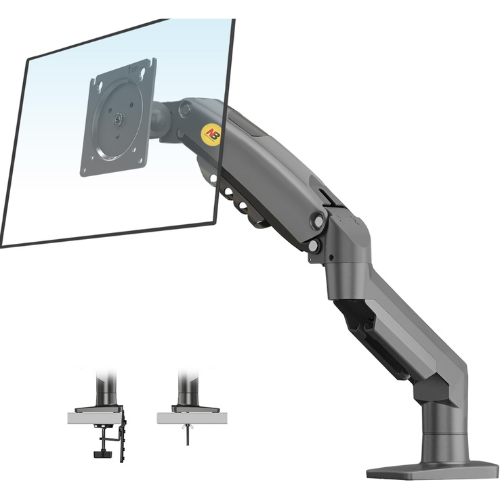
The final pick on our list is the NB North Bayou desk mount that is made from solid aluminum material, so you can mount with confidence knowing it will offer relentless support. The unit is very lightweight but this does not compromise its performance or durability at all. One of the best features of this desk mount is that it is universal; it can fit almost any 7” – 30” monitor weighing from 4.4lbs to 19.8lbs.
Other than this, this monitor desk mount is adjustable, hence you can easily tilt it, or move it up or down until you achieve the desired position. It comes with a durable gas system to ensure that the monitor can be positioned easily. Moreover, it also features a full motion mount, which means that the monitor can be rotated in any direction.
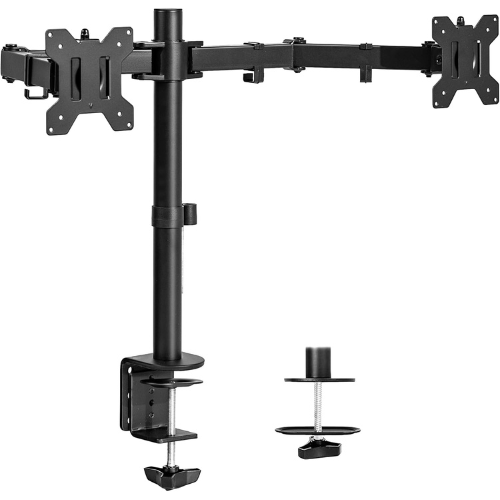
The very first unit on our list is the VIVO dual LCD/LED monitor desk mount that measures 24.2 x 12.5 x 5.3 inches and weighs just 8.49 pounds, so it does not require much space and is pretty easy to handle. The unit features a dual-screen desk mount which means you can mount two screens side by side, making it more convenient for you to work and also saving a lot of desk space.
Other than this, it comes with a heavy-duty C-clamp that easily mounts to the back of your desktop. Also, it features an integrated cable management system that helps you to keep your desk and space clutter-free and well-organized. Moreover, mounting and removing your monitor from the stand is a fairly easy process and does not require any tools.
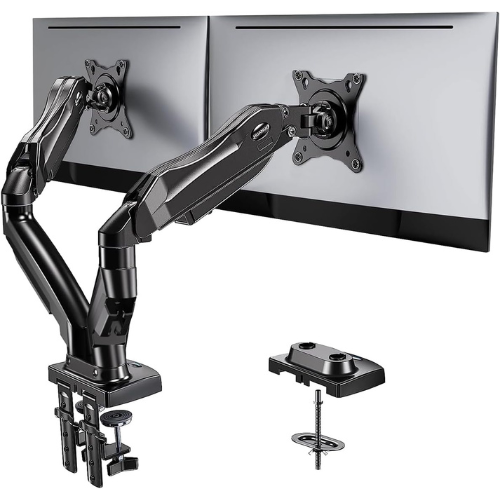
Next up, if you are looking for the best monitor desk mount that not only has an attractive design but also a premium quality build then you might want to get your hands on the Huano dual monitor stand. Right off the bat, just by looking at the stand, you can tell that it has been made to last. It has a sturdy construction that offers a stable mount for your monitor.
The stand features adjustable monitor heights, allowing users to raise the monitor to eye level, helping eliminate neck and back pain and improving posture. Other than this, you can also make the monitor swivel, rotate, and tilt according to your liking. This allows you to move the monitor’s screen to the position that works best for you and also helps save a lot of desk space.
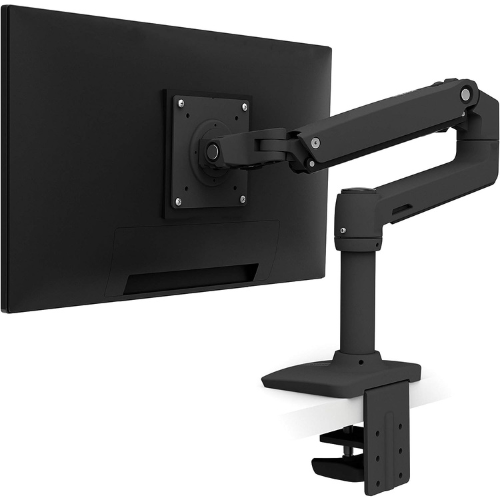
If you want a monitor stand for a single LCD, then Ergotron LX single monitor arm is a great choice for you. This mount is well-known to offer max comfort and flexibility. It allows you to easily change the height of the monitor and tilt the screen according to your liking. Moreover, it features a 360-degree screen pan which not only lets you find the best position for your projects but also helps you save desk space.
Other than this, this monitor desk mount can hold a screen weighing up to 25 pounds and measuring 34 inches diagonally. The stand can be folded and stored into cabinets easily when not in use. Moreover, it has a sturdy construction and has been built to last. It is a professional-grade product that is designed to offer convenience and exceptional utiliy. Also, it comes with a 10-year warranty, so you can make a worry-free purchase with this one.
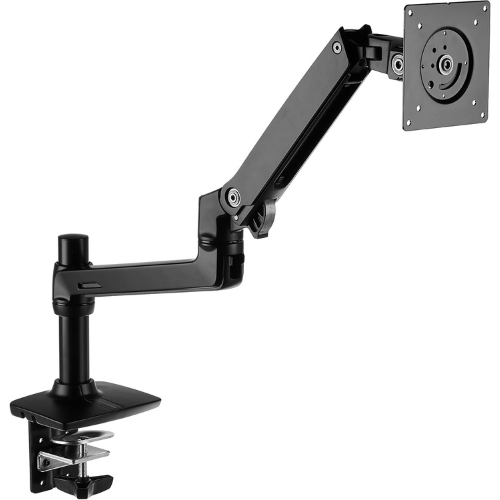
The Amazon Basics monitor stand is a great choice when it comes to the best monitor desk mounts with a single arm. First off, this unit comes with ergonomic positioning, allowing users to adjust the screen to the perfect height and angle so that it does not strain their back and neck. It features a single arm monitor stand that has been made from aluminum so it is not only light weight but also provides long-lasting durability.
The arm is easily adjustable and does not require any technical expertise to handle. The arm extends and retracts very easily and tilts 5 degrees forward and 70 degrees back, offering you plenty of control. Also, it can rotate from portrait to landscape mode. Other than this, the stand has a very sleek and slim design. It is compatible with any LCD monitor up to 32 inches and 25 pounds.
One might think that knowing the type of desk mount that would be compatible with your monitor is enough to buy the right desk mount for yourself. However, there are many other specs that need to be considered as well. Let’s have a look at some of the important factors.
The very first thing to keep in mind while purchasing the best monitor desk mount for yourself is whether it is VESA compatible or not. VESA stands for Video Electronics Standards Association – an organization that has set technical standards regarding the correct mounting of monitors, LCDs, and other screens.
The VESA standard recommends specific screw and hole arrangements that let you mount the monitor onto the monitor arm securely. It also sets standards for screw sizes so different weight classes can be handled safely and correctly. Hence, you might want to check whether the monitor and the monitor desk mount that you choose is VESA compatible or not.
You can find a variety of monitor mounting options on the market. To pick the correct one for yourself, it is essential to ensure that the mount you choose has been made to be compatible with the equipment you would be using it with. The three most common types of mounts are:
A lot of monitor desk mounts come with all the equipment that is necessary to easily mount the LCD. To choose the right option for yourself, it is necessary that you note down the specifications of your LCD and desk so you can choose the best monitor desk mount accordingly.
Space is another important factor that you must consider in order to choose the best desk mount for yourself. Most of the time, our workstations don’t have enough space to hold both; your monitor along with other things such as your speakers, CPU, and other gadgets, which is why it is important that you choose a desk mount that helps reduce the space taken up by the monitor rather than decreasing it.
There are several decent desk mount options that are very effective at saving up desk space.
You can find dual, triple, and even quad monitor desk mounts that not only help clear up desk space but also allow for increased productivity at the workplace. To get the right one, you might want to keep in mind the placement of the mount, the space that is already available, and how many items you plan to place on your desk along with the monitor.
Adjustability is one of the most crucial factors that should be taken into account while purchasing a monitor desk mount. Also, for this, you would need to consider whether you would like a monitor desk mount that allows you to swivel, rotate, and tilt your computer or the one that simply holds it in one position.
As compared to fixed mounting stands, rotatable ones are much more convenient and allow you to adjust the monitor position and height according to your preference. This not only makes it easier to sit and work on a desk but also helps reduce posture-related issues.
Overall, there are three common adjustment options that are fixed, tilting, and full-motion articulation. A fixed mount holds the monitor stably at a fixed position. This option mostly does not provide any extra space that can be used to hide wires and cables. On the other hand, a tilting mount allows you to tilt the monitor to different angles.
A desk mount with full-motion articulation allows you to tilt the monitor but also swivel it from side to side and extend it out from its position. This option allows users to easily adjust the screen to the position that works the best for them.
Once you have purchased a monitor desk mount for yourself, the next step is to install it. Installation should be an easy and hassle-free process and should not require any technical skills. Usually, it only takes 10-15 minutes to install a monitor mount, and you should be able to do it without requiring any assistance.
Other than this, if you are totally new to it, you can check whether the monitor mount you choose comes with a user manual that can provide all the information and instructions you would need to install it successfully as it helps make the whole installation process hassle-free.
Choosing the finest monitor desk mount for yourself can become much easier if you are aware of the features and specifications that you require according to your setup. Overall, all of the monitor desk mounts that have been reviewed above are among the top ones available on the market.
If you feel like you are sitting in an unnatural position while using your computer, or if your back or neck hurts after using the screen for some time, then it is possible that your monitor is too high and needs to be adjusted properly.
Due to health concerns, it is important that you sit a reasonable distance away from the monitor screen. Luckily, it is easy to see if your eyes are too close to the monitor. The recommended distance between the monitor and your eyes should be the length of your arm.
Yes, almost all monitors you can find on the market are compatible with desk mounts. Most of the monitors come with an already installed mounting plate at the back, which makes them compatible with desk mounts of all types.
Best Buy Guidebook is a culmination of online publishing lessons learned. From SEO to paid ads, our team has experienced the highest of highs and the lowest of lows. Our goal now is simple: Arm readers with the most information possible.