Best Buy Guidebook is a culmination of online publishing lessons learned. From SEO to paid ads, our team has experienced the highest of highs and the lowest of lows. Our goal now is simple: Arm readers with the most information possible.


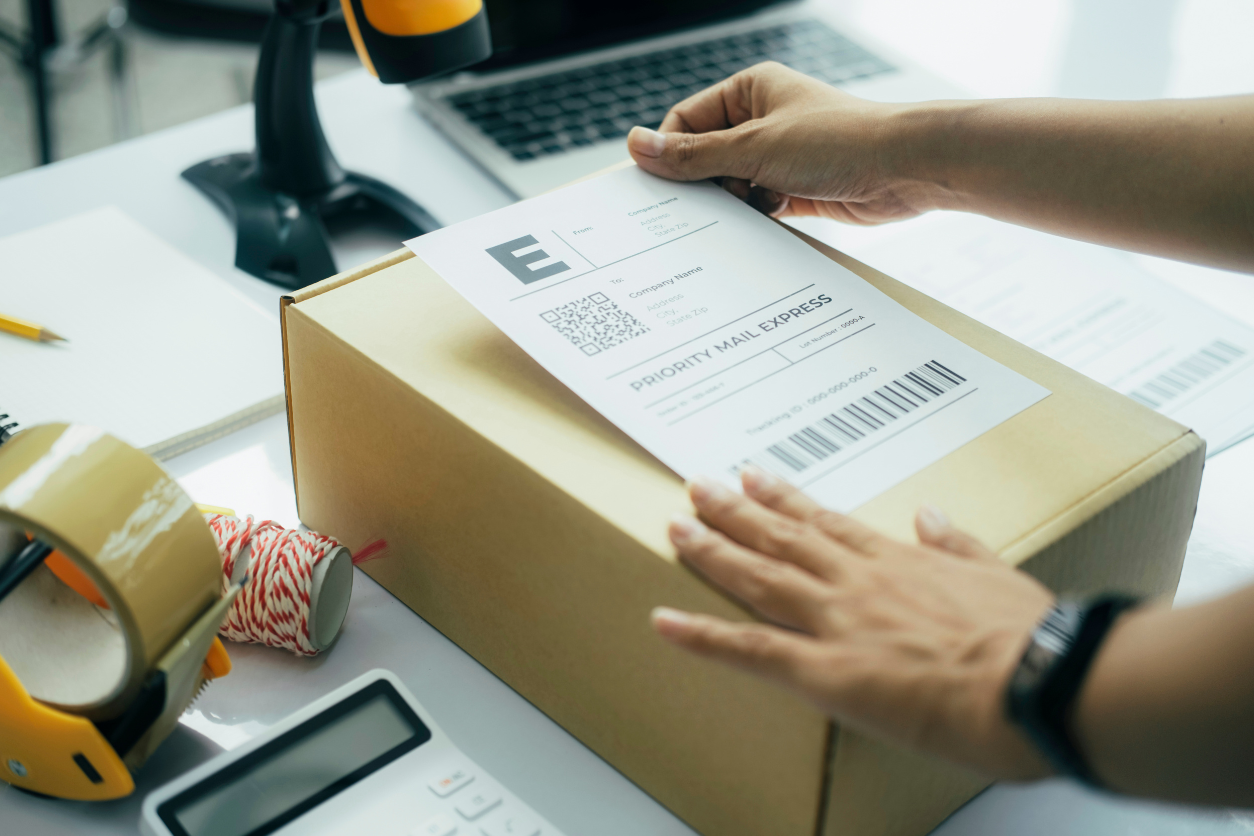
Are you tired of printing your labels from electric printers? Not all of us have the means to buy ink frequently to print labels for our businesses. Small business owners have to manage everything on their own as they usually can’t afford extra employees. If your business is suffering a label-printing crisis, it’s time you invest in a thermal shipping label printer.
Thermal shipping label printers use heat to mass print labels in seconds so you can ship your orders without delay. Unfortunately, since there is little known about these printers, people do not have the expertise to judge them before buying. Hence after extensive research, we have compiled a list of efficient and good thermal shipping label printers to help your business run smoothly.
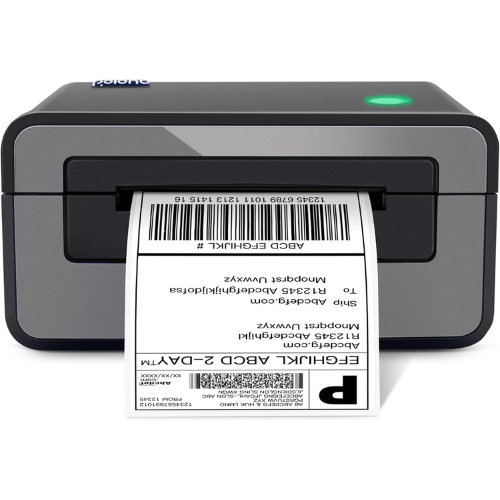
Starting our list is the highly reviewed thermal shipping label printer by Polono. With a fast speed of 52 mm/s, the thermal printer can print 72 labels per minute so you can spend less time printing labels and more time focusing on your business. The thermal printer is compatible with both Mac and Windows, so you can plug it up with any computer or laptop lying around. Moreover, the thermal printer is fairly easy to connect and doesn’t require strenuous software installations on your computer.
The package of the printer includes a power cord, USB cable, and a U disk so you won’t need to purchase additional accessories. Even more, this thermal label printer is available in three tasteful colors allowing you to choose according to your preference. . The high resolution of 203dpi guarantees that each label’s details are crisp and clearly readable, making it simple to scan and interpret. High resolution and fast speed make this thermal shipping label printer the best on our list.
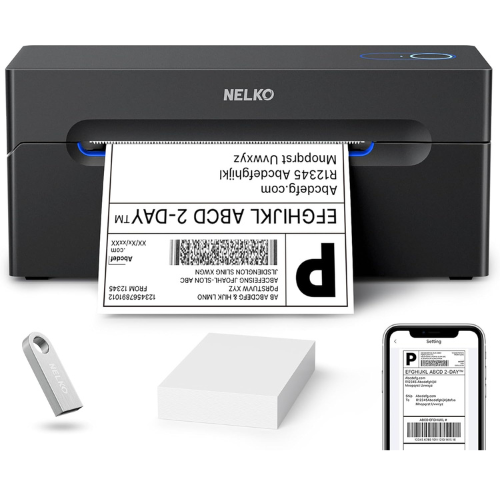
I received this printer from Nelko to test. In under 15 minutes, I was able to unpack, download software, and print my first test. The device is a great size for a small office or desk. I can easily tuck it away in my filing cabinet. It was easy to figure out which cables needed to plug in where. The most difficult part was finding how to install the software Nelko on my Mac. Here is the link if you need it: https://www.nelkoprint.com/pages/driver-user-manual
I also downloaded the test file to my MacBook Pro, and it was very easy to figure out the settings. It took under three seconds. I’ll point out that loading the paper made me lose a few sheets, but it came with a bundle of sheets. Overall, it’s a great value for a small business.
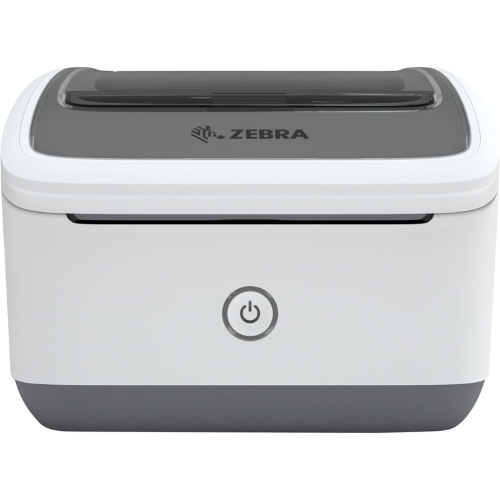
Are you a small business looking to streamline your operations? Look no further than the ZEBRA Thermal Label Printer. This printer works with all ten ZSB Label Cartridges. It is compatible with eco-friendly, compostable ZSB Series Label Cartridges, perfect for those looking to keep their environmental footprint as small as possible. Say goodbye to label jams thanks to an easy cartridge change process. The ZSB 2″ printer comes with one address label cartridge with 325 labels, while the ZSB 4″ printer comes with one 4×6″ shipping label cartridge with 190 labels.
With this thermal printer, you never have to worry about how long it takes to print your labels—you can print up to 73 labels per minute! Plus, accessing various content from anywhere and on any device removes the annoyance of the back-and-forth pacing we’re so used to. And best of all, it’s ready for platforms such as FedEx, UPS, USPS, Amazon, Shopify, Etsy, eBay, and more!
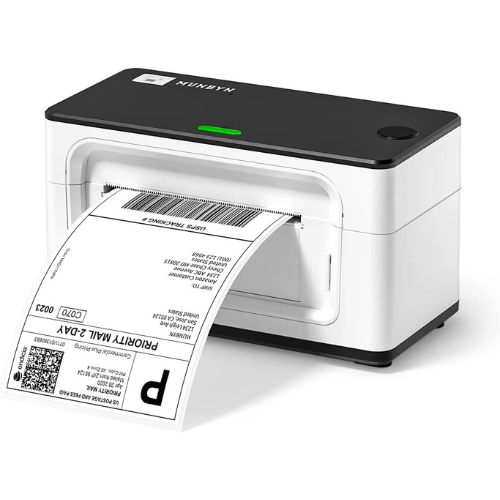
The MUNBYN Thermal Shipping Label Printer can fulfill all your shipping label needs. It can print anything from shipping labels and product labels to even barcode labels. The 4×6 label printer can auto-analyze and learn your label, which can bring more convenience to your small business. It also supports print labels from 1.57-4.3 inches wide, which is suitable for shipping and warehouse labels for larger businesses.
It’s compatible with many computers and operating systems, including Mac, Windows, ChromeOS, and Linux. Whatever computer you have, chances are it will work perfectly alongside this label printer. The no-ink, no-cartridge printer makes it environmentally friendly so you can use this without any worry you’re harming the environment. Ship through any service with this versatile thermal shipping label printer.
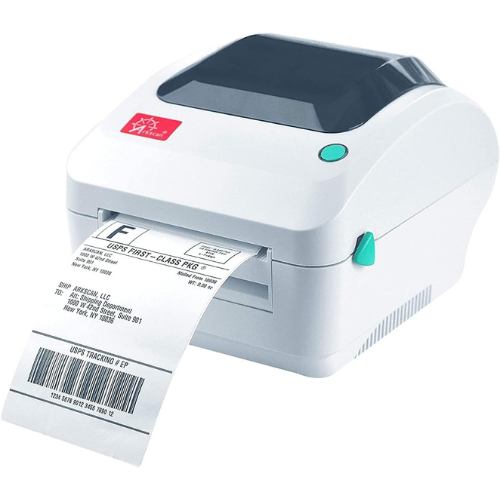
This thermal shipping label printer by Arksan is multi-functional and can be used to print shipping labels, product labels, and even barcode labels. Standing out from its counterparts, the printer has an adjustable width and length – it can print between 0.75 to 4.25 inches in width and 0.4 to 90 inches in length. Moreover, not only does this printer work with Mac and Windows but also ChromeOS and Linux, making compatibility a breeze.
The thermal shipping label printer also includes a free software design and easily prints product and warehouse labels. The software hosts the most popular label-design print features such as full design capabilities for text, graphics barcodes, and most serializing capabilities. In addition, Arkscan also offers tech support to all their customers, where you can ask your inquiries and clear any confusion about the printer.
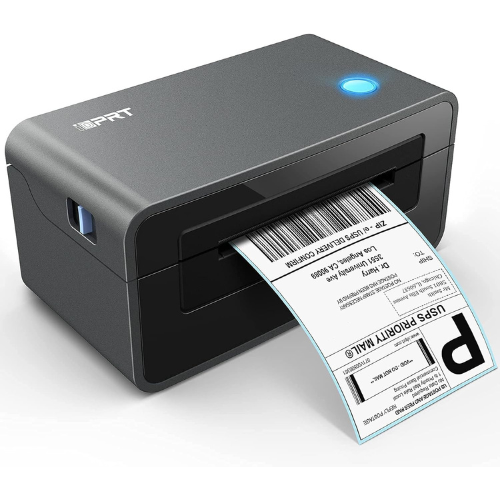
This thermal printer’s economical price makes it perfect for small businesses who’re just starting out.! Due to its fast speed, the label printer can pump out72 labels per minute, improving your working efficiency and saving time. Furthermore, the thermal printer is durable due to its long-lasting material. Advanced technology allows this label printer to print without toner or ink, further reducing the cost and hassle of refilling your ink containers.
Moreover, this thermal shipping label printer is portable, allowing you to use it even in emergencies. Standing out in the market, this printer has a built-in adaptor removing the troubles of finding a cord and an electrical switch compatible with it whenever you decide to print something. With the intelligent paper return feature, the label printer can also adjust the location automatically and precisely, making the entire procedure quick and easy. Furthermore. With the automatic induction positioning ensuring the text is printed accurately, you’ll be avoiding any wastage of paper and money.
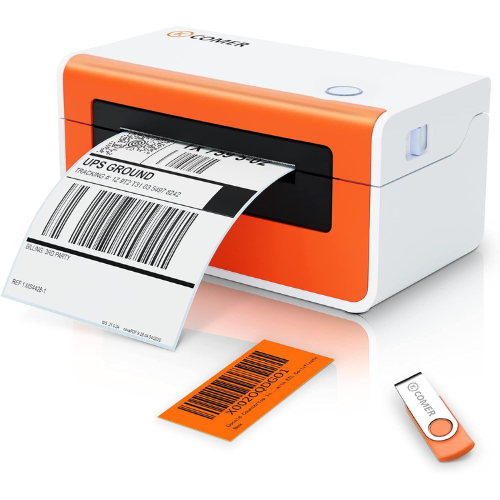
This thermal printer by K COMER uses ‘Suspended Thermal Technology’ to give a resolution of 230 DPI, allowing your labels to be crisp and clearly visible. The label printer prints 86 sheets in one minute making your printing faster and preventing delays in your business operations. Not only is the label printer extremely easy to use but it also comes with a complete guide explaining to you everything you need to know in order to run the printer. Moreover, with no ink, toner, or ribbons required, the thermal printer is environmentally friendly, so you don’t need to worry about your purchases harming the environment.
This printer has an adjustable width of 1.57 inches to 4.3 inches, allowing you to print labels for all sizes of packages. It is compatible with major e-commerce platforms like Amazon, Etsy, and UPS so you can print out their labels flawlessly. Furthermore, K COMER promises to help you out in case you’re facing any problem with the printer and even assures you to change a defective printer within a year of your purchase.
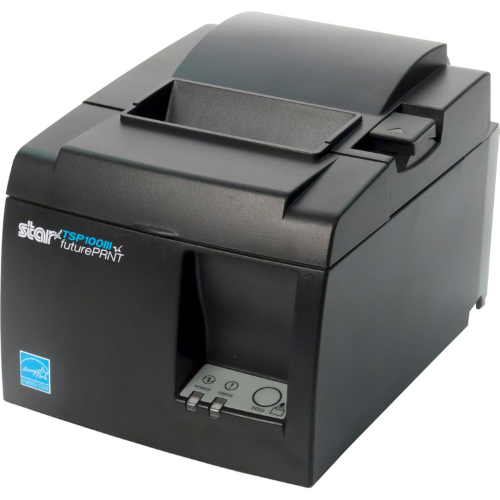
The last on our list is the popular thermal printer by Star Micronics. The printer has four different options of connectors so you can choose the accessible option for your convenience. Moreover, the Ethernet connector comes with a cable so you do not have to spend your time and energy buying one. The thermal shipping label printer also has a fast speed of printing, producing 43 sheets per minute, saving you a ton of time.
In addition, this printer is available in two common colors allowing you to choose according to your preference. This printer has a De-Curl technology making your labels flat and look appealing on your packages. Even more, the printer includes free software allowing you to customize your labels with professional graphics captivating advertisements. If you’re short on space and want all the options present in a high-end printer, this small portable thermal shipping printer is perfect to fulfill all your labeling needs.
It’s easy to get confused when there are so many different thermal shipping label printers on the market advertised with confusing specifications and technologies. As a result, we’ve put together a detailed buying guide to assist you in choosing good thermal label printers for your business.
Businesses’ performance depends upon their efficiency and productivity. This is why you need to invest in a thermal printer that prints a lot of labels per minute. It will not only save you time but also energy, improving the speed of your orders. Generally, anything above 40 labels per minute would be a good purchase.
Each business has different widths and lengths of labels and it is up to them to decide that. While labels with a ton of information require a larger size, labels for small packages are best printed in smaller dimensions so they don’t cover up the whole package. Hence, a thermal printer with adjustable width sizes comes in fairly handy as it allows you to decide the exact size of your label according to your packages.
It is extremely important for labels to be easily readable as they have to go through various processes in order to reach their destination. These processes include electrical machines that verify the information by scanning your labels. If your label is too blurred or hard to read, it will simply fail the scanning process and disrupt your operations. Hence, a resolution higher than 203 DPI is needed to make sure that information is correctly verified.
Label printers must have as little downtime as possible in order to get shipments to their destinations as quickly as feasible. As a result, selecting a printer with a large media capacity is critical. Users will not only save time but also ensure that a sufficient amount of labels are printed. Moreover, they will not have to replace the label roll as frequently and can leave the machine to run.
Thermal printers are not like your conventional printers, they work differently. Since people do not know more about these printers, information about their technicalities is not widely available. Hence, it is better to buy a label printer that includes a manual guide so you can easily work your way through your new gadget.
Moreover, many different companies have started their own tech services through which customers can directly contact them and ask for help. This is extremely useful for people who’re using a thermal shipping label printer for the first time and have no idea what they’re doing.
Thermal printing uses heat to reproduce an image into a specified material. They function similarly to regular printers. The only difference is that a thermal label printer does not utilize ink and instead employs heat-sensitive media such as label rolls. The thermal head is in charge of producing heat and printing on paper, while the platen is in charge of feeding paper. This thermal head is pressed against the thermal paper by the spring, which creates an image.
A direct thermal printer uses heat to print on the material. It doesn’t utilize ribbons, ink, or toner, but it does require a specific heat-sensitive substance that turns black when heated. While these printers are extremely sensitive to environmental conditions, they have a ton of advantages over a thermal transfer printer:
Thermal transfer printers use wax or resin-based ink ribbons that melt into the printing substrate (such as a label) to generate a long-lasting, high-quality picture. These printers have their distinct advantages which make them a preferable choice for some users:
Unfortunately, the supply costs for thermal transfer label printers are significantly high, making them a tough purchase for small or growing businesses. Moreover, these printers are a poor candidate for recycling labels and other sorts of substrates.
Both these printing technologies possess their own drawbacks and advantages. While thermal transfer printers may be better for printing labels for products, direct thermal label printers are perfect when it comes to printing tickets and shipping receipts.
Yes, you can however, printers require ink to work, and frequently refilling the ink is extremely expensive and time-consuming.
No, label printers aren’t necessary however they are more economical than a standard printer and carry out a variety of functions.
Yes, they save a lot of money by not having to replace ink supplies.
This depends on how the printer is made however on average, a thermal printer lasts for 7-15 years.
Thermal printers require specific paper because they use heat to make impressions rather than ink. The papers used in direct thermal printers contain heat-sensitive pigments.
Best Buy Guidebook is a culmination of online publishing lessons learned. From SEO to paid ads, our team has experienced the highest of highs and the lowest of lows. Our goal now is simple: Arm readers with the most information possible.