Best Buy Guidebook is a culmination of online publishing lessons learned. From SEO to paid ads, our team has experienced the highest of highs and the lowest of lows. Our goal now is simple: Arm readers with the most information possible.



While fax machines are often considered a relic of the older days of technology, sharing data and documents is sometimes best done in the way that is most convenient. Advancements in technology in no way mean that fax machines are gone for good. In fact, many countries and companies still use fax machines for one reason or another despite growing competition across the online marketplace.
Whether you’re looking to upgrade your home office or your office’s public fax machine, navigating the online market can prove hard. To help you out, we’ve curated a list of the finest fax machines of 2025.
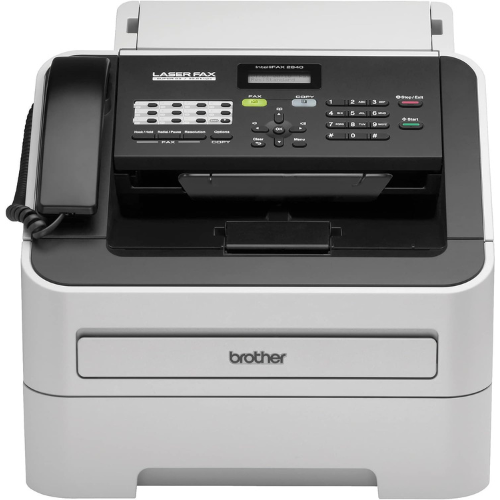
Brother is a brand that makes great printers, scanners and fax machines. They sell their products for a decent price and their devices are often packed with features. The Brother FAX-2840 Fax Machine is no exception to this, and it’s got a 250-sheet capacity tray for long-term use and a 2.5 second page transmission. Allowing you to easily send and receive document data from one machine to another, it also has 16MB memory which can hold up to 400 pages at a time.
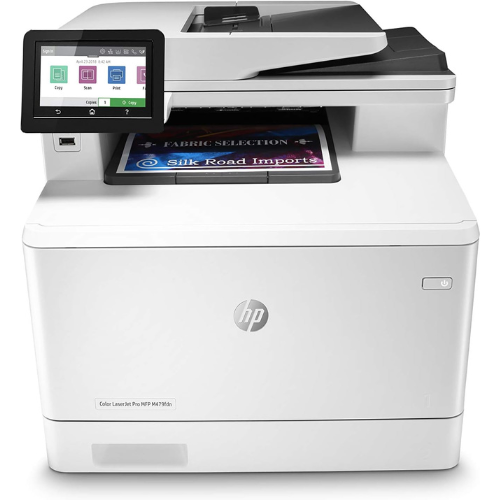
This next device is an interesting modern piece of work. HP’s Color LaserJetPro can also work as a fax machine, and it’s made with the modern workplace in mind. Aside from a helpful modern touchscreen, it’s got a wireless design that allows you to print documents without actually being there. And to add to its functionality, you can even automate steps in the printing process to promote a more efficient workflow—making it a great choice for both content creators and college students.
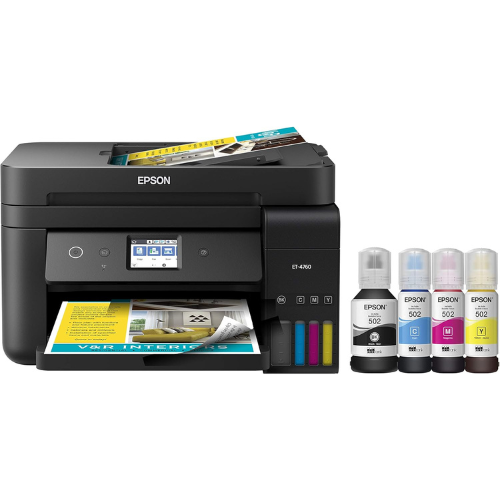
Printers can function without a whole lot of moving parts and advanced tech, which is why they’re pretty affordable these days. However there are also some more high-end options for those who prefer something a little more advanced for either work or home use. The Epson EcoTank Wireless Printer can be used in both home and office settings, and there are specific models for either use. This wireless printer has no cartridge waste whatsoever, so you don’t need to worry about filling up landfills the more you buy extra ink.
While costly, it’s worth the investment if you print regularly.
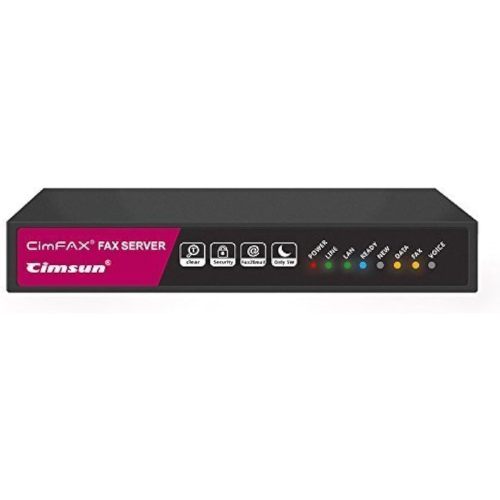
This last fax machine is pretty interesting. Recognized as a fax machine server, it’s capable of hosting the files and images that get sent from one PC to another. The server runs smoothly and can be set up quite quickly, and if connectivity is what you’re looking for you have the ability to connect with your laptop, PCs and smartphone. While it doesn’t print documents, if necessary you can even schedule when your faxes are sent.
Fax machines may be pretty old, but they’re still very usable. This guide will cover what you need to know about fax machines.
Fax machines are devices that work by sending and receiving documents between other fax machines across certain distances. In fact, since it is capable of forwarding documents its invention eliminated the need to bring documents to a secondary location.
Fax machines have existed for quite some time now, with the oldest models dating all the way back to 1864. Although the device wouldn’t really be considered “fax” by modern standards, modern fax machines came into the scene in 1964 and were first sold by Xerox—a name that is now often associated with faxes and printers.
For many decades, fax machines were used to send documents between floors and even buildings. This was the most efficient form of logistics for a time until, of course, the advent of the modern Internet. With the Internet allowing you to send and receive digital documents instantly, fax machines lost their place in many workplaces.
While fax machines are still very much obsolete compared to modern means in many ways, they’re still seen in a lot of offices and buildings. Many companies still need physical documents, and this is either due to the way the company is structured or how their local government handles its own papers. In these scenarios, physical documents may be required as part of protocol if nothing else, and since one can’t just revise the protocol in a matter of seconds it may be seen as far easier to just go with the flow instead.
But what about companies that don’t necessarily need physical documents anymore? Well, it depends on the nature of the company. You see, when it comes to sending documents it can be seen as far better to simply rely on fax.
Fax machines are devices that are left alone for hours at a time without any supervision whatsoever. They can be left to their own devices as they can both scan and print based on scheduling, wireless control and other factors. Because you won’t always be in front of a fax machine, the total sheet capacity of the machine matters.
A larger sheet capacity means that the device can print more pages before it runs out of paper. A fax machine can only hold so many sheets, so it’s a good idea to pick a large printer with a sizable sheet capacity if you need something that can be left on its own for the entire day.
Speed in fax machines refers to two things: the speed at which it can scan documents and the speed at which it can print them. While faster is better, if you had to pick the one you should aim to prioritize printing speed as that’ll help you get your documents when needed.
Fax machines have gotten pretty affordable these days, with some costing only around $120 per unit. Other fax machines can cost up to $500 or more as they’re not sold as fax machines but rather printers with a fax machine feature.
Fax machines are still very much used in many industries around the world, particularly in companies where modernization is slow.
One reason you may need a fax machine at home is to be able to send and receive old documents between your workplace and your space at home. Contrary to a Google Drive or Cloud system that requires the internet to be accessed, a fax machine is still capable of storing your data when the power is down.
Not entirely. They are still very useful in sending physical copies of documents instantly, which is something that only fax machines are able to provide.
Purchasing a dual fax machine will eliminate any need to buy another printer. In the case of aesthetics, customizing your search in this way will save desk space.
Some signs your fax machine needs to be replaced may include a noticeable lag between processing. Another sign to look out for is a lack or complete failing of connectivity.
While it may seem harmless to keep your old fax machine, replacing it with one that has updated features can prove to be a lifesaver if you’re someone who transfers documents in bulk.
Best Buy Guidebook is a culmination of online publishing lessons learned. From SEO to paid ads, our team has experienced the highest of highs and the lowest of lows. Our goal now is simple: Arm readers with the most information possible.